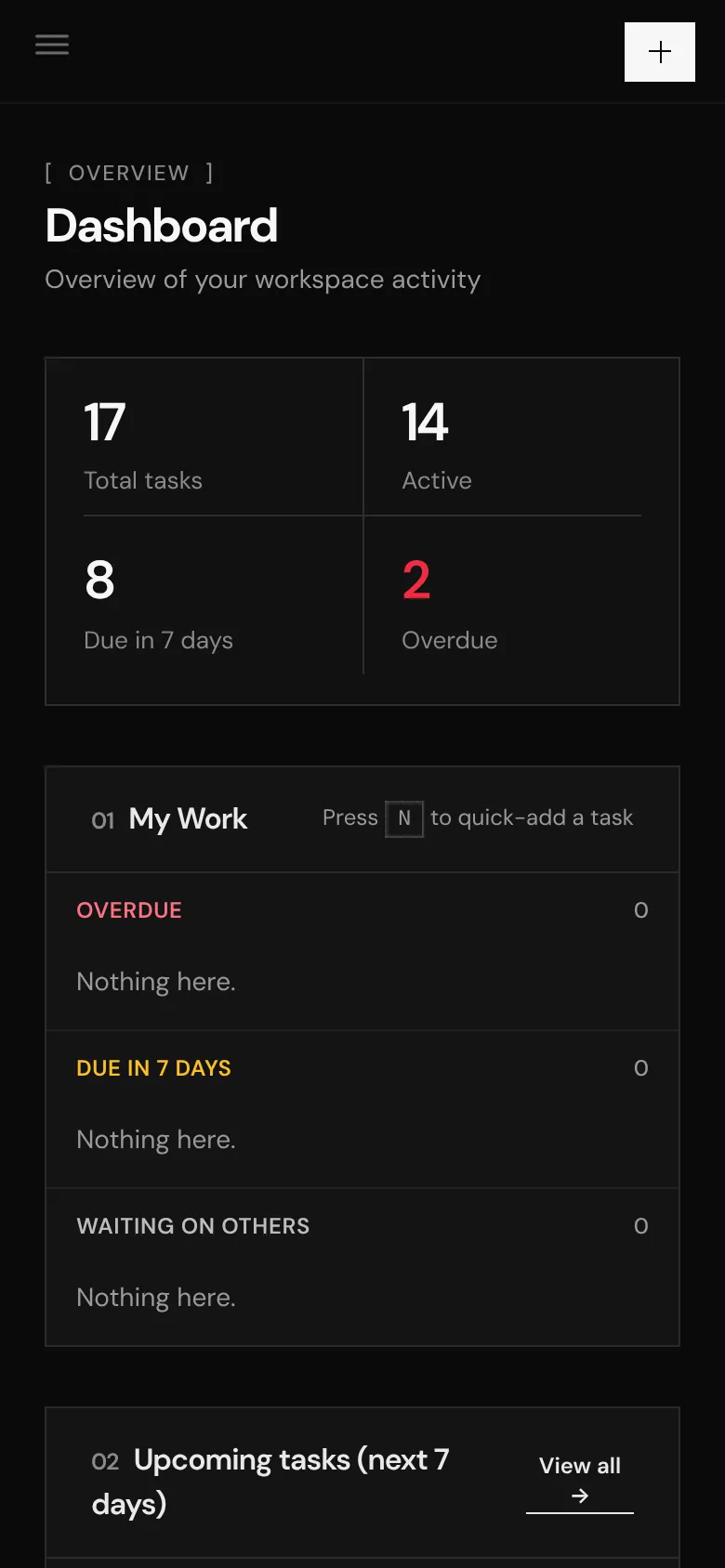
The problem
Work lived in five places. Tasks in a tracker, QA rounds in WhatsApp, test cases in a spreadsheet, specs in docs and client updates in screenshots. Nobody could answer "where is this stuck?" without a call.
A project management tool I designed and built for product and delivery teams. Tasks, QA, test cases, docs and client updates live together, and Claude can work inside it through its own MCP server.
Plan, test and ship every project from one place.
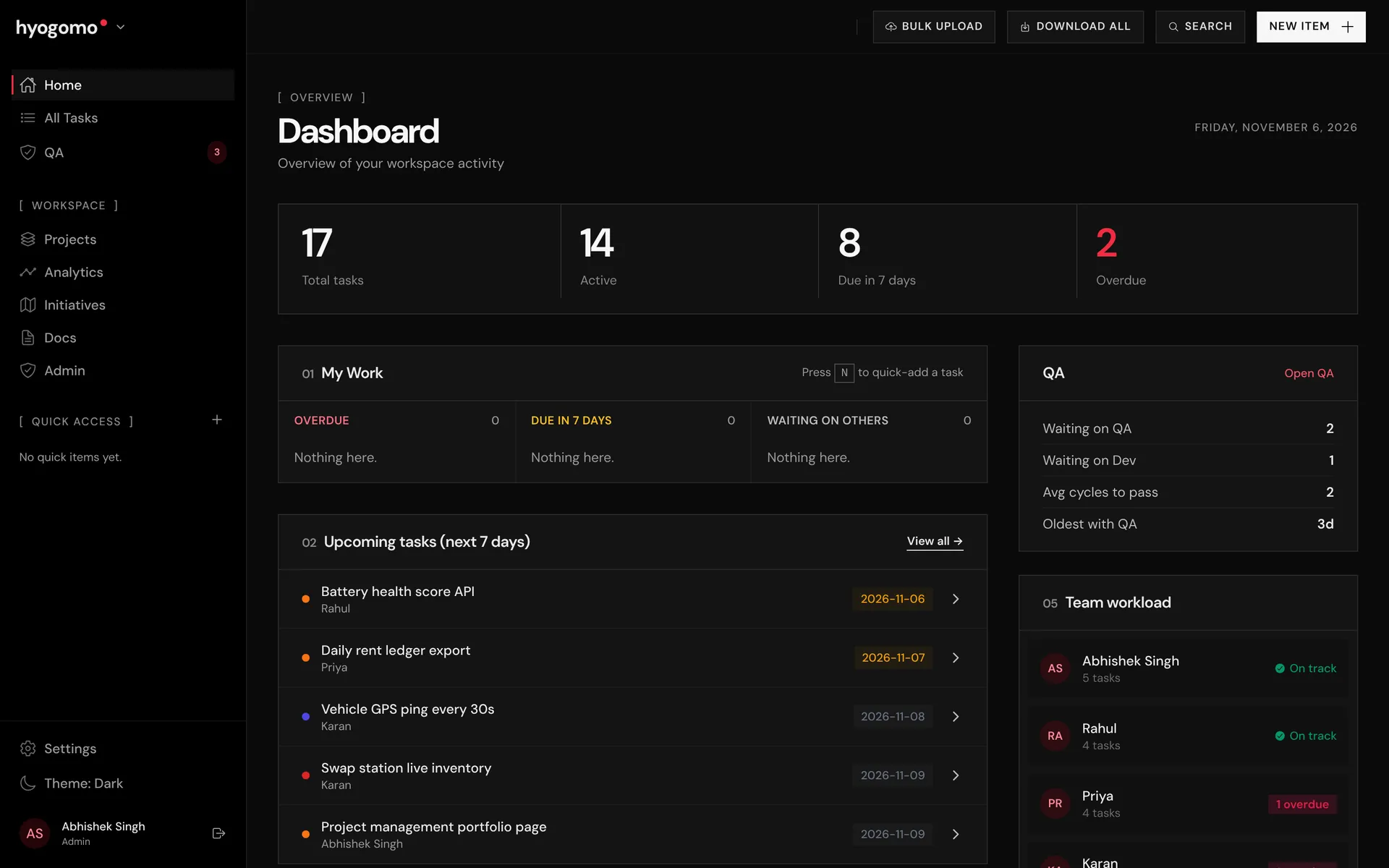
Work lived in five places. Tasks in a tracker, QA rounds in WhatsApp, test cases in a spreadsheet, specs in docs and client updates in screenshots. Nobody could answer "where is this stuck?" without a call.
One data model for the whole delivery loop. A dev task becomes a QA task, every round trip between QA and the developer is logged as a handoff, and docs, test runs and share links all hang off the same task IDs.
Every project shows its blockers, QA cycles and on-time rate on one screen. Clients get a PIN link instead of a status email, and Claude can triage, update and report on work in plain language.
001. / Quality
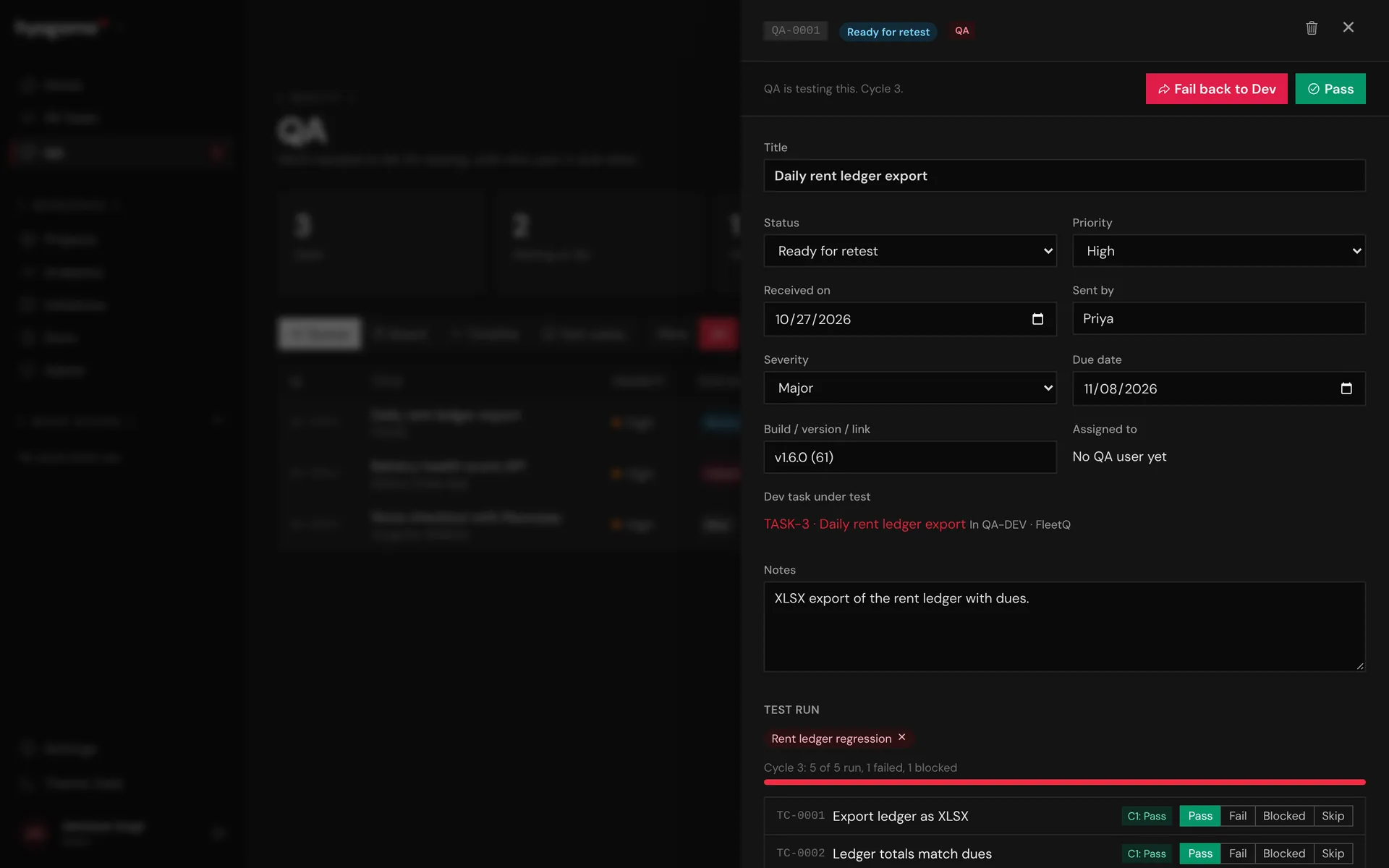
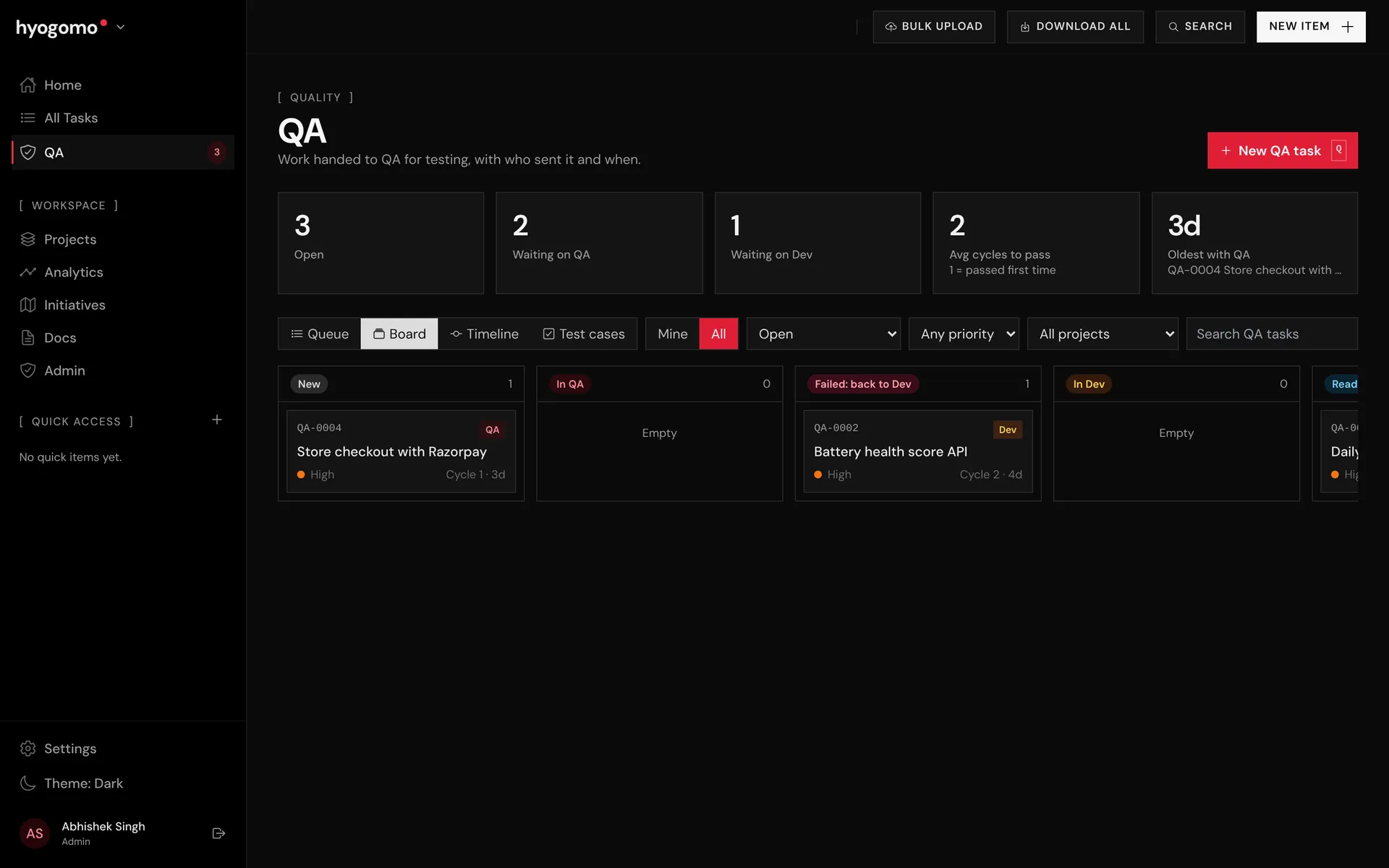
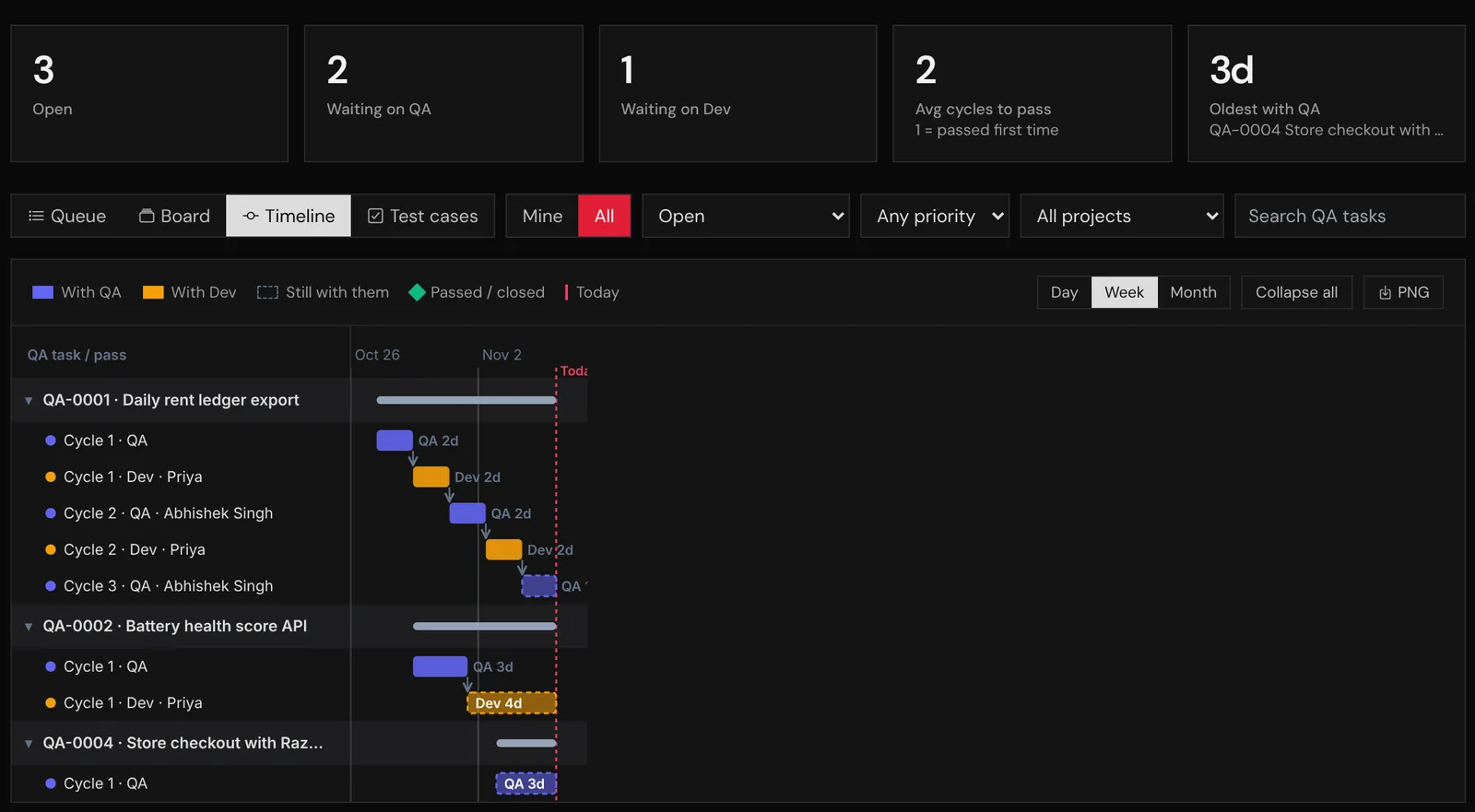
Work handed to QA becomes its own QA task (QA-0001) linked to the dev task. Each round trip between QA and the developer is a handoff with a verdict, notes and the build under test, so the cycle count is a fact, not a guess.
002. / Quality
The timeline draws each QA task as a waterfall: blue bars while QA holds it, amber while the developer does. Long amber bars show where work waits, and the chart exports to PNG for a weekly review.
003. / Quality
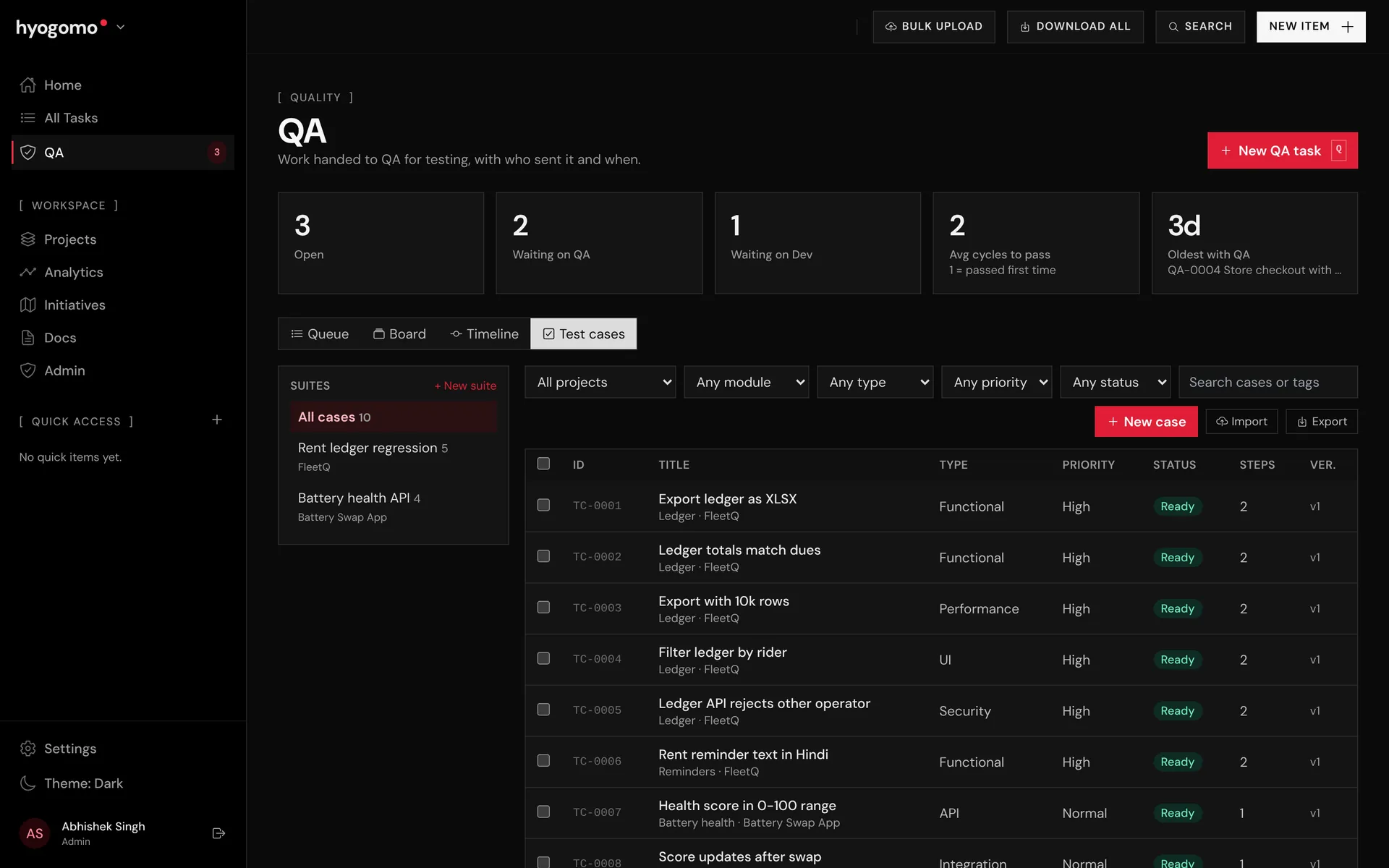
A test case library (TC-0001) with steps, preconditions and test data, grouped into suites. Attach a suite to a QA task and each cycle gets a run sheet: Pass, Fail, Blocked or Skip, with the actual result.
004. / Planning
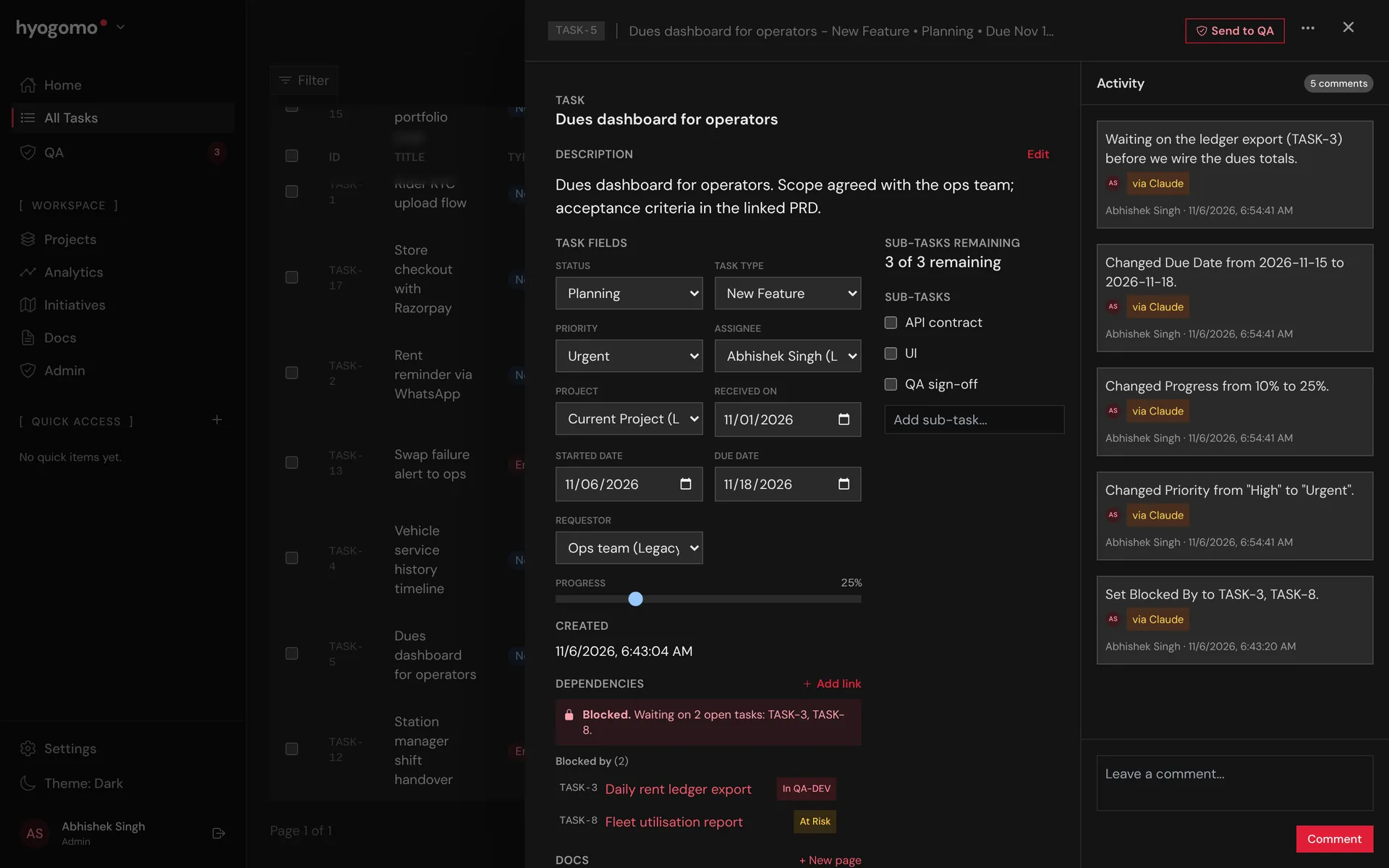
Link tasks as blocked by, blocks or relates to, across projects. A task with open blockers gets a Blocked badge everywhere it appears, and the drawer lists exactly what it is waiting on and where that work stands.
005. / Planning
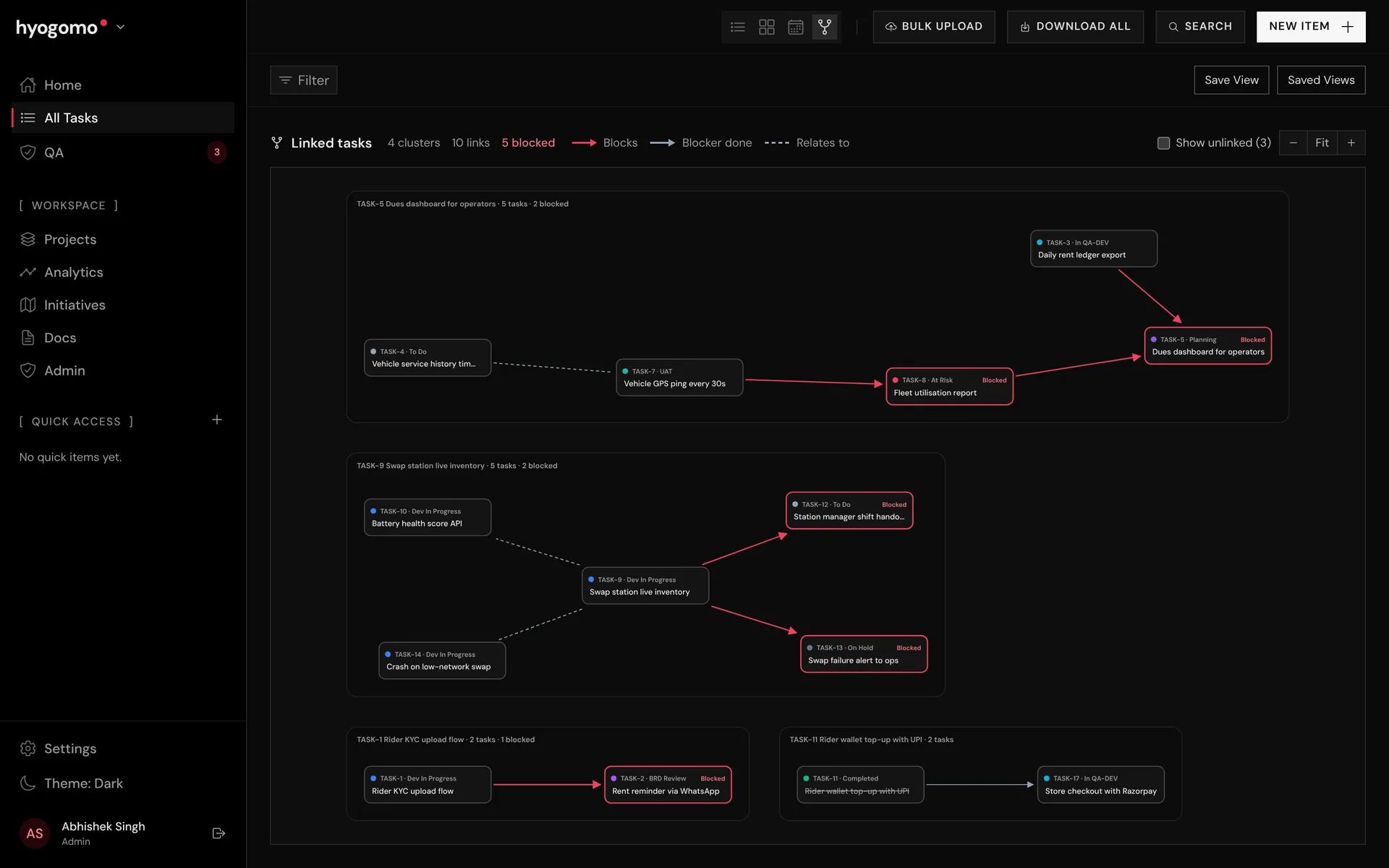
The mind map turns dependencies into clusters you can read at a glance. Red arrows are open blockers, grey ones are done, dotted lines are related work. Hover a node to trace its chain.
006. / Planning
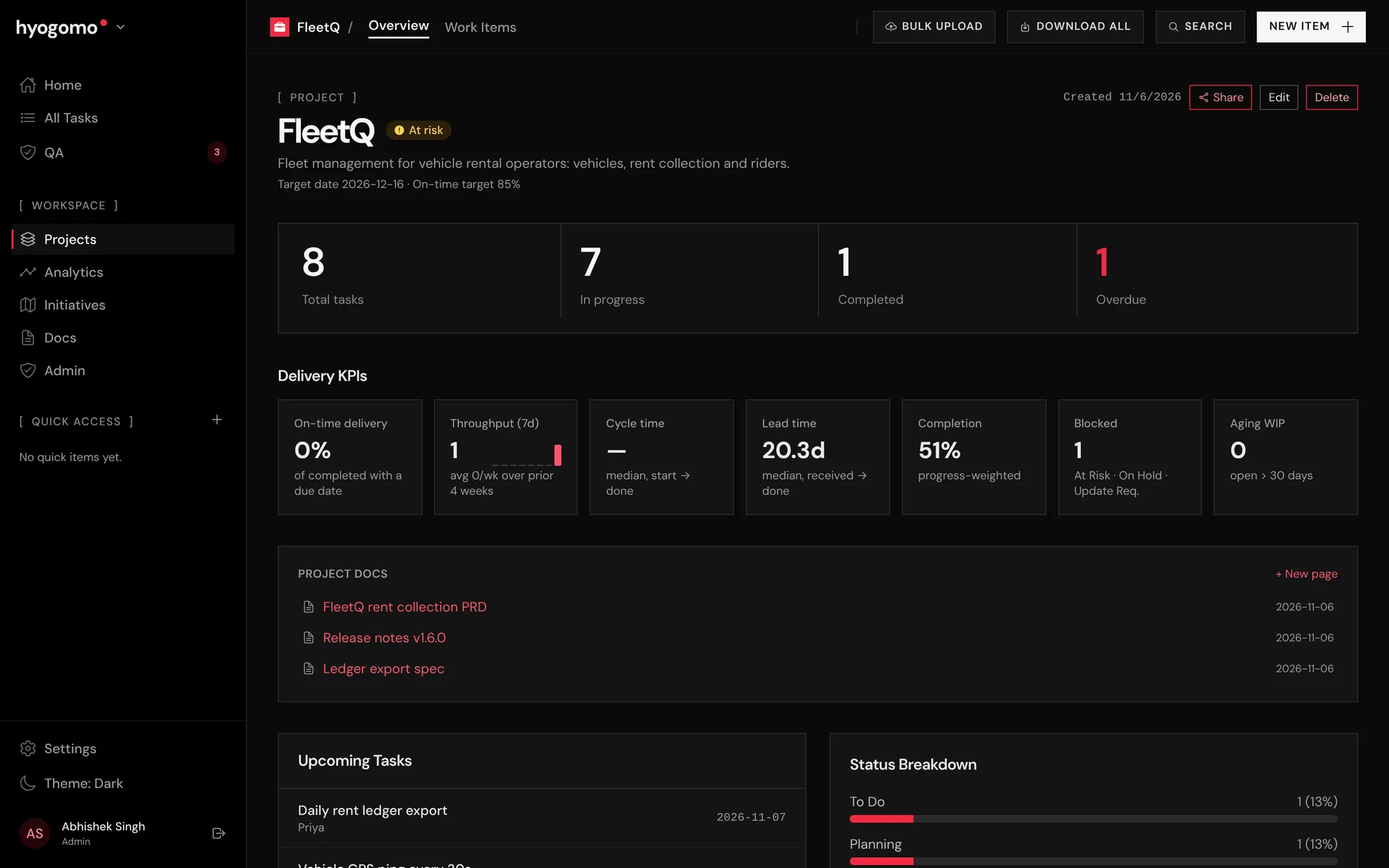
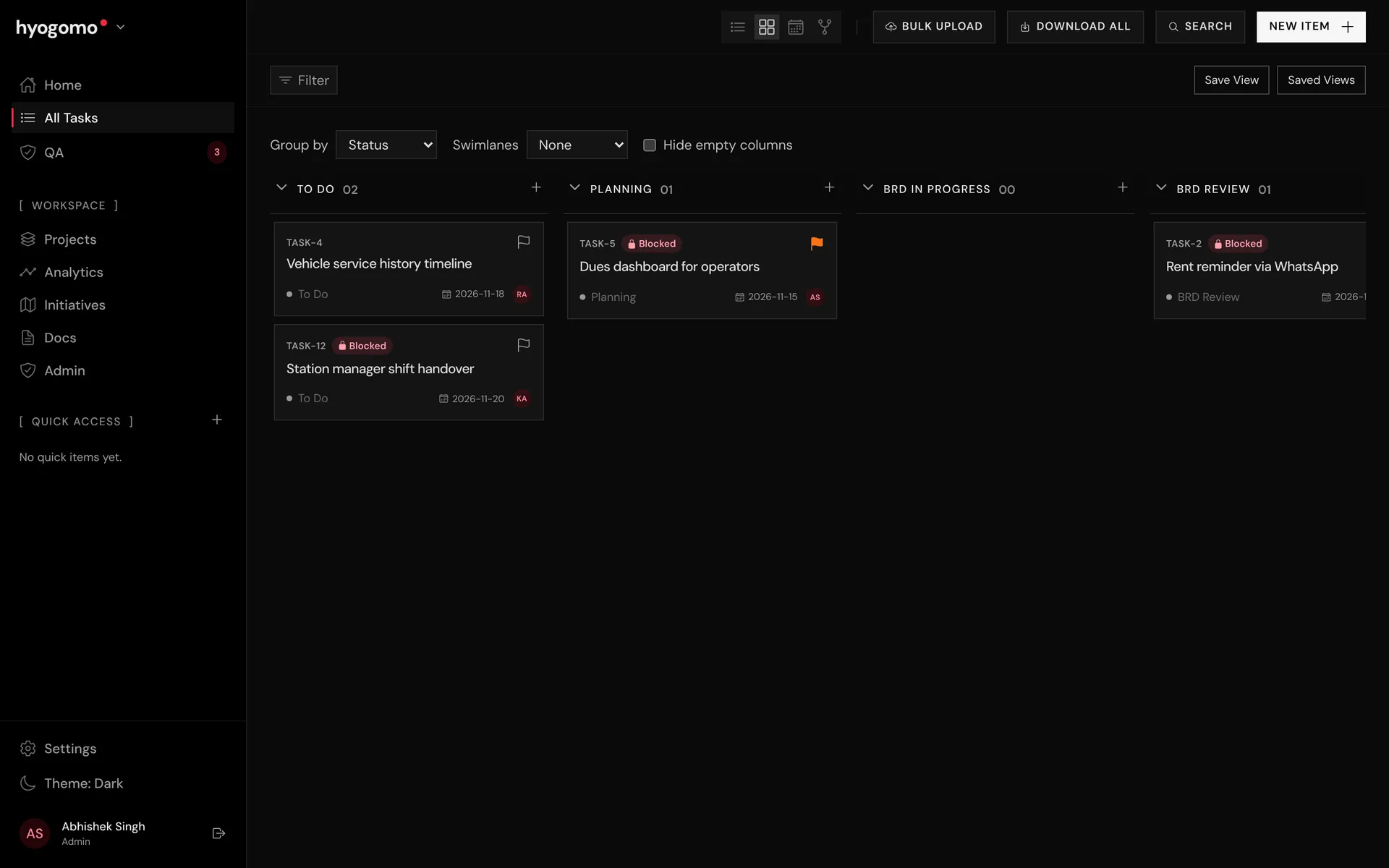
Each project has an overview with on-time delivery, throughput, cycle time, lead time and aging work against a target on-time rate. Tasks open in table, board, calendar or mind map, with saved views.
007. / Knowledge
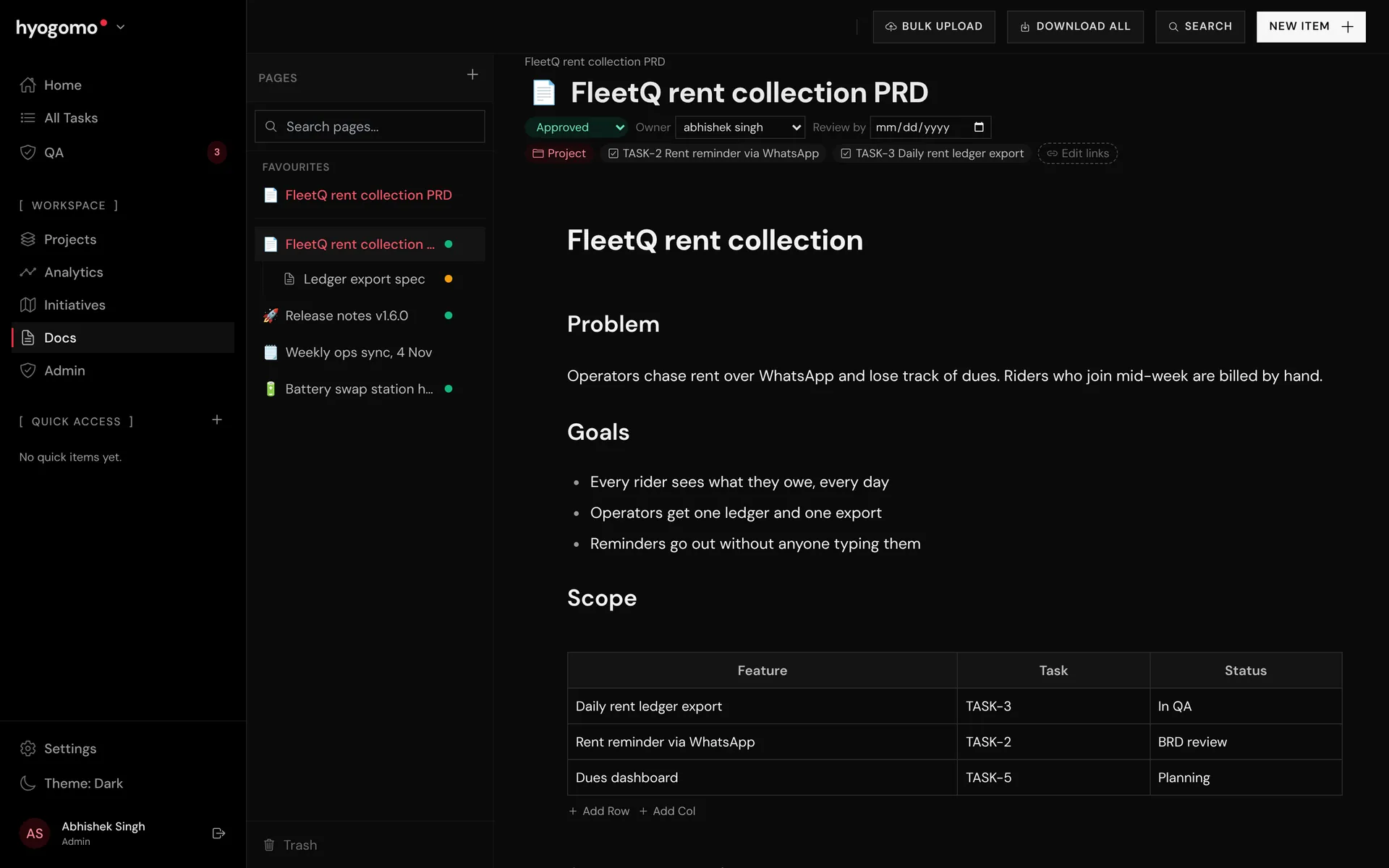
Nested pages for PRDs, specs, release notes and meeting notes, linked to projects and tasks. Mention TASK-12 in a page and it links itself. Pages have owners, review status, comments and favourites.
008. / Sharing
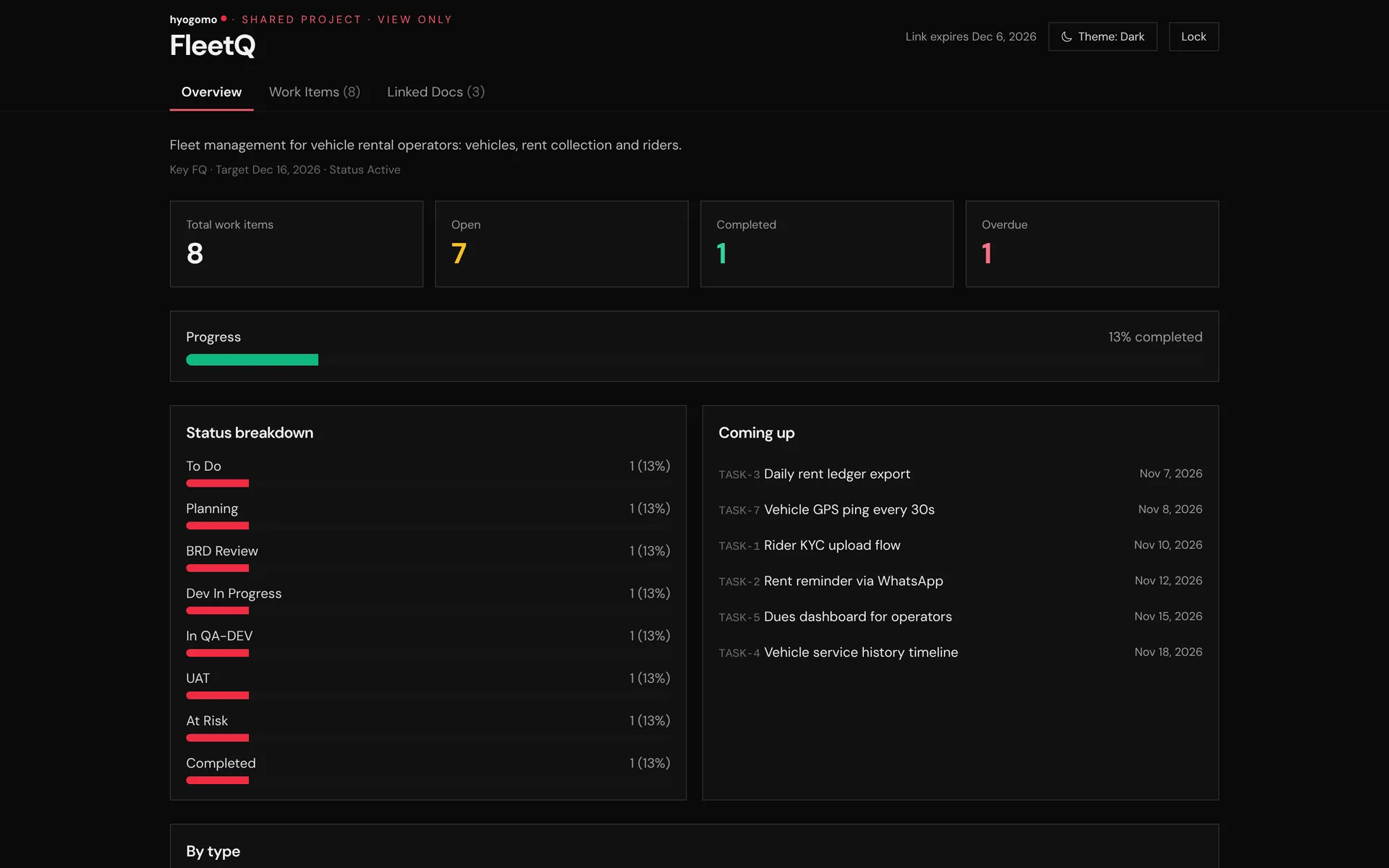
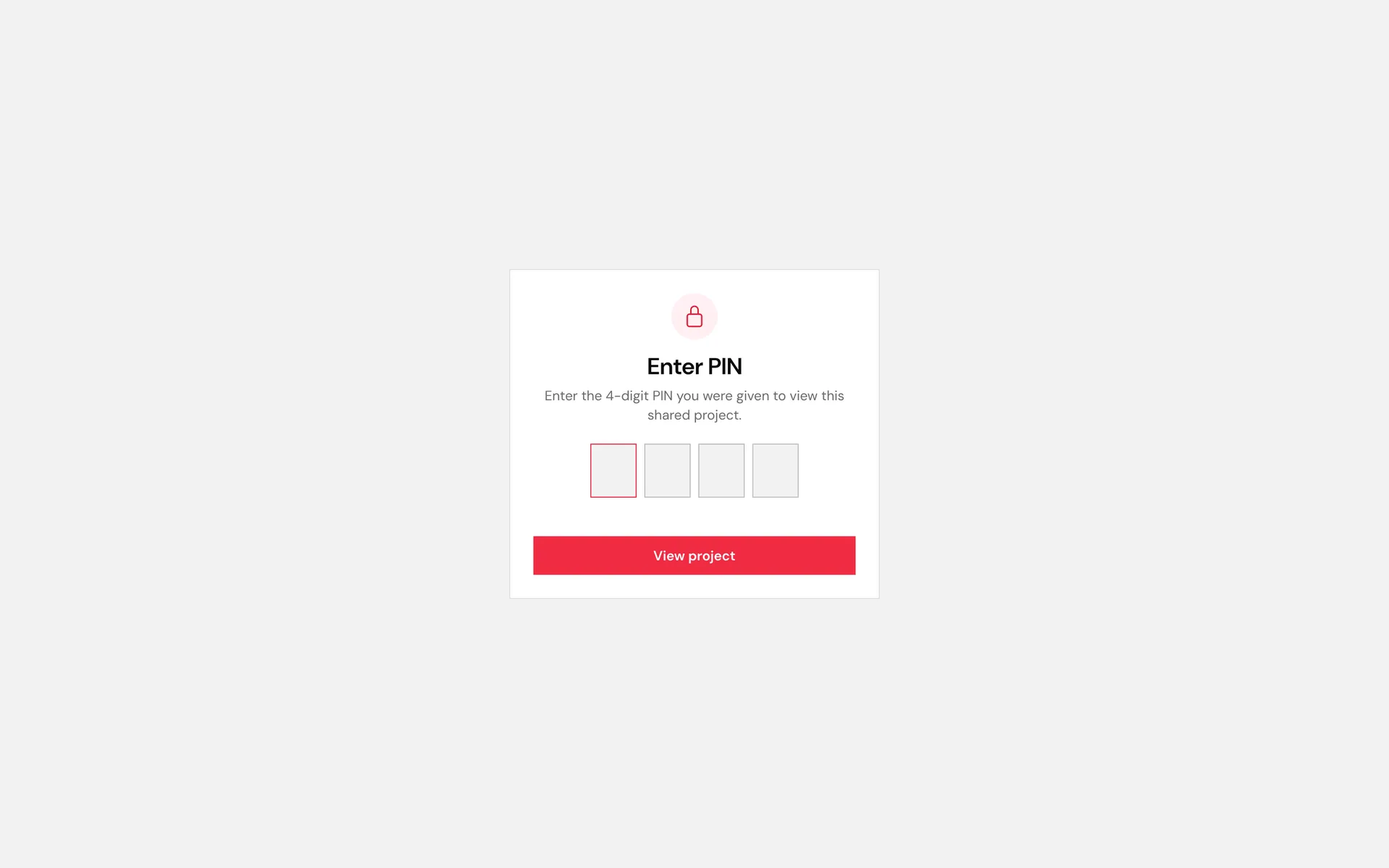
Share a read-only view of a project with a client. The link needs a 4-digit PIN, expires on a date you choose and can be extended, re-PINned or killed from the admin page. Every sign-in is logged.
009. / AI
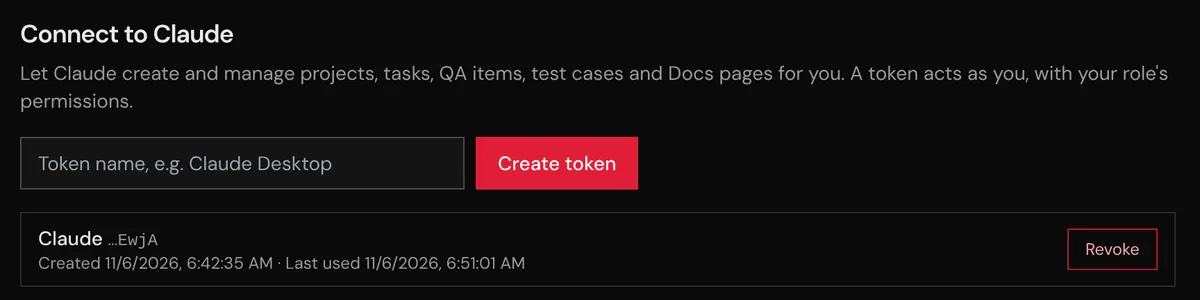
The app ships its own MCP server. Create a personal token in Settings, add it to Claude, and Claude can list, create and update tasks, hand QA work back and forth, record test results, write docs and publish app builds, always with your role's permissions.
QA-0002 still scores batteries above 100. Send it back to Rahul with the failing case.
handoff_qa_task QA-0002 · qa_to_dev · Failed
Done. QA-0002 is back with Rahul in cycle 2, with TC-0007 attached as the failing case. It shows on the waterfall as Dev time from now.
010. / Trust
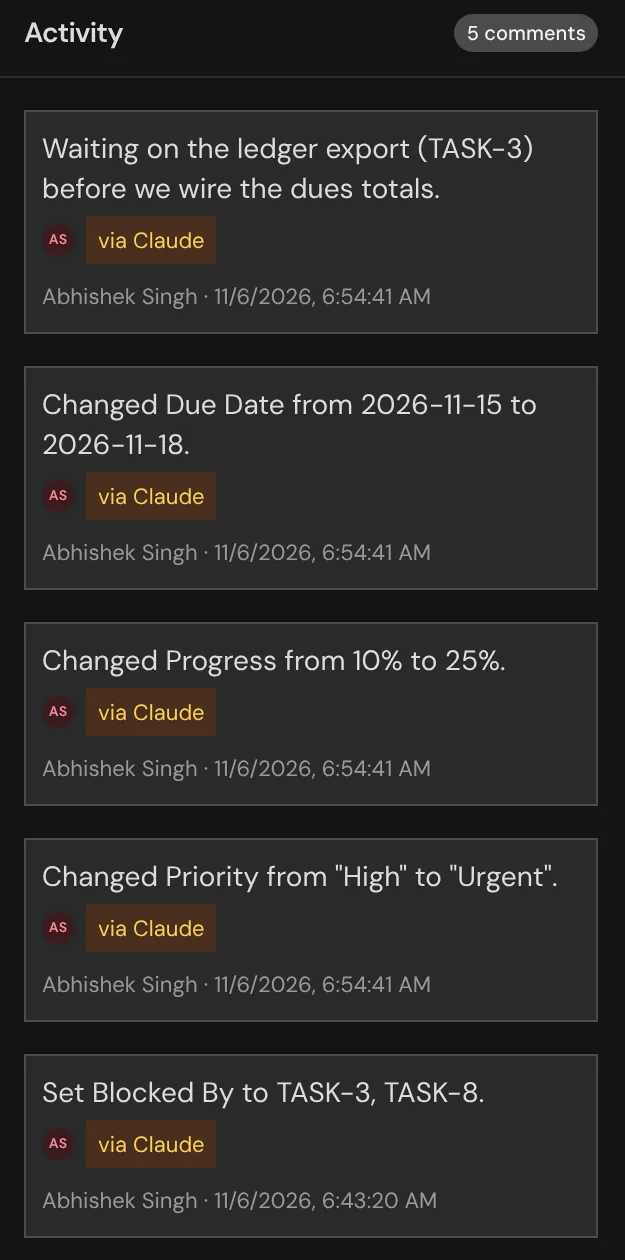
Every change is logged on the server, whoever made it: the web app, the Android app, a sync, a QA handoff or Claude. The task drawer shows what changed, from what to what, and who did it.
011. / Craft
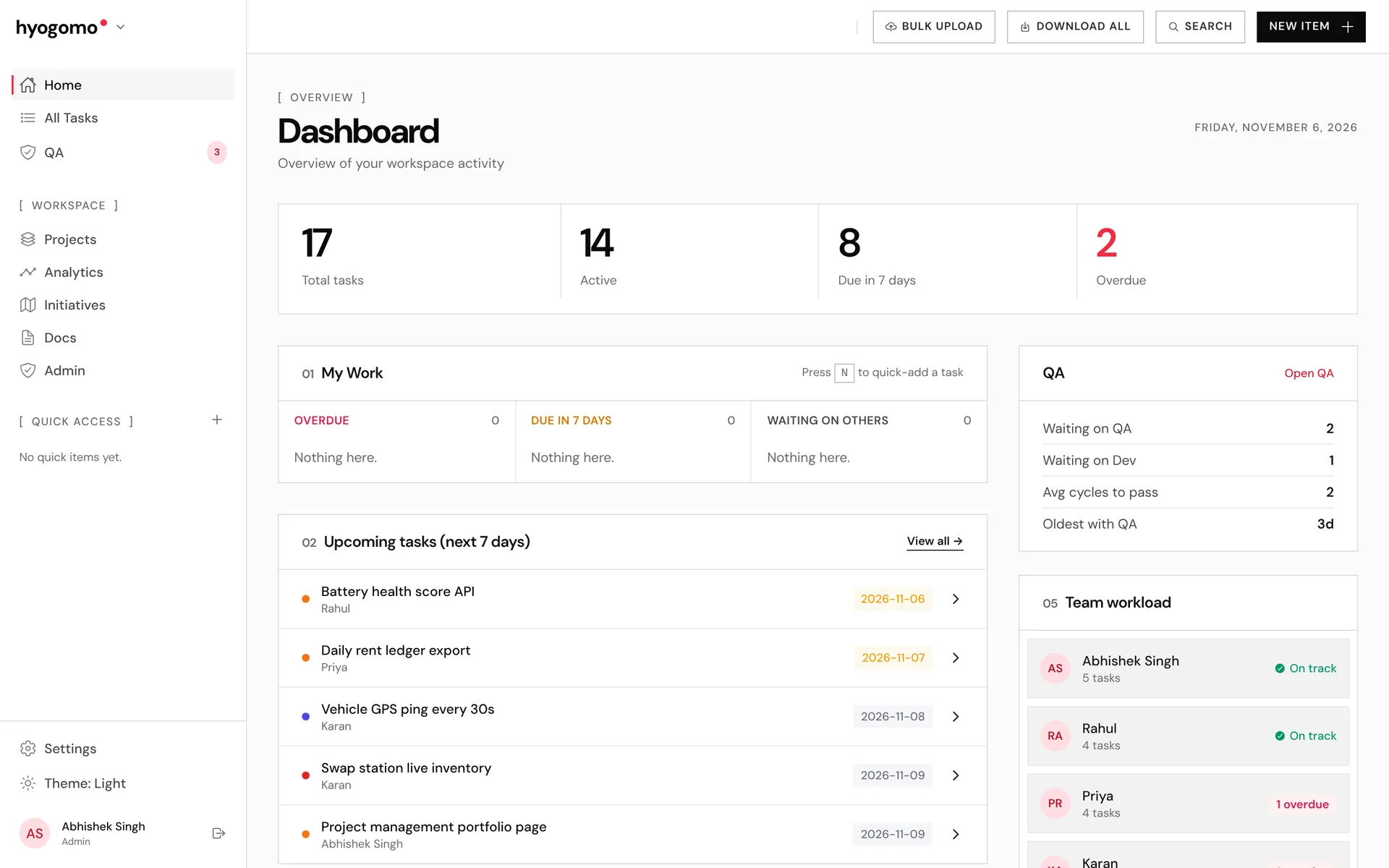
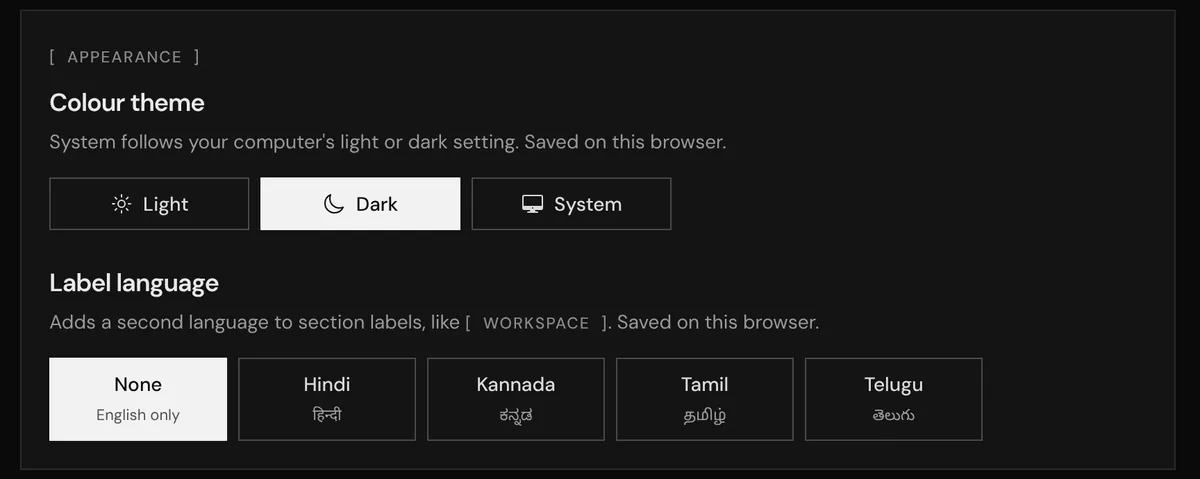
The whole app follows the hyogomo.com look: black and grey, one red accent, DM Sans and square corners. Pick Light, Dark or System in Settings or from the sidebar.
012. / Craft
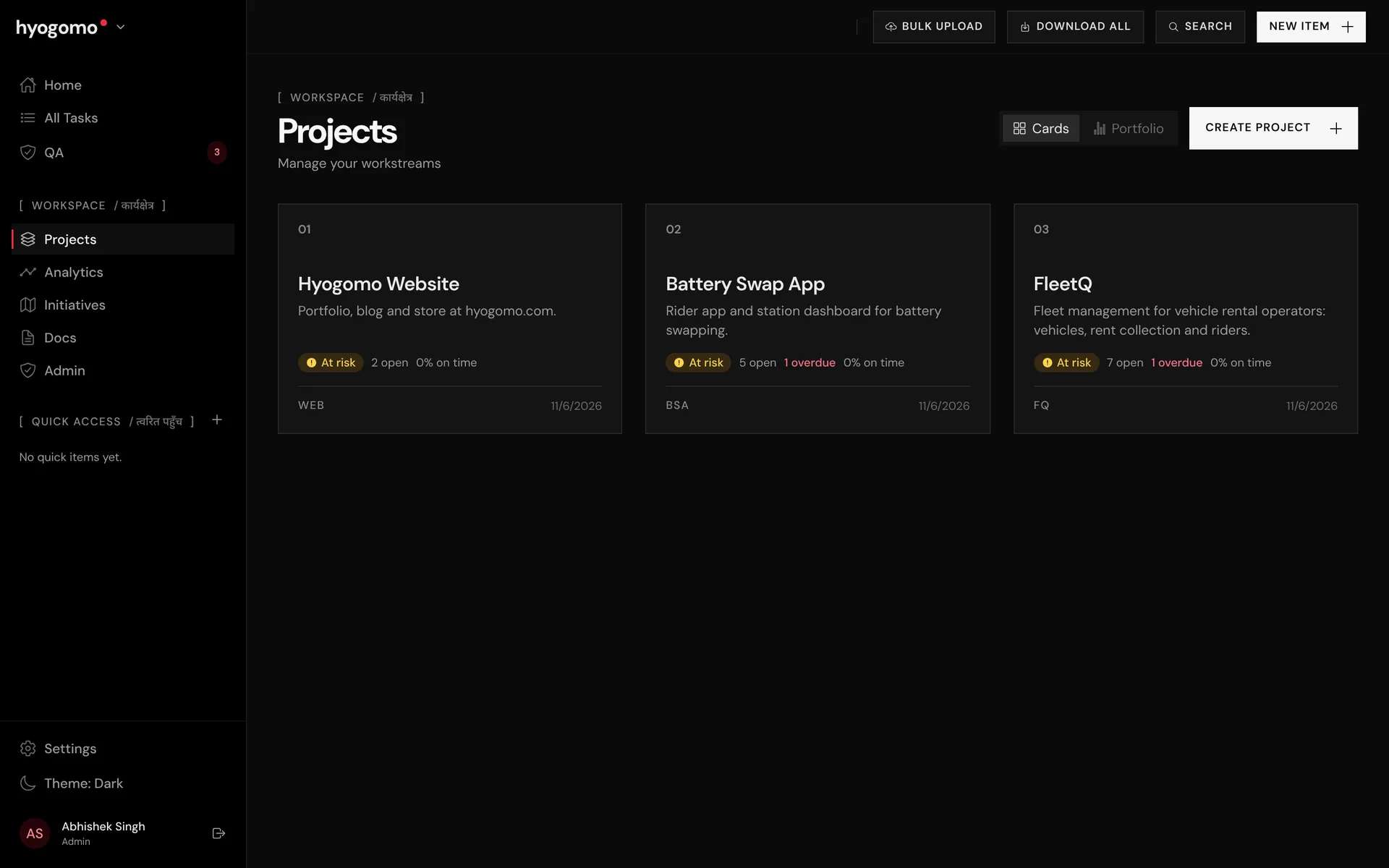
Section labels can carry a second language next to English, like [ WORKSPACE / कार्यक्षेत्र ]. Choose None, Hindi, Kannada, Tamil or Telugu. It is a small touch that makes the tool feel local.
013. / Mobile
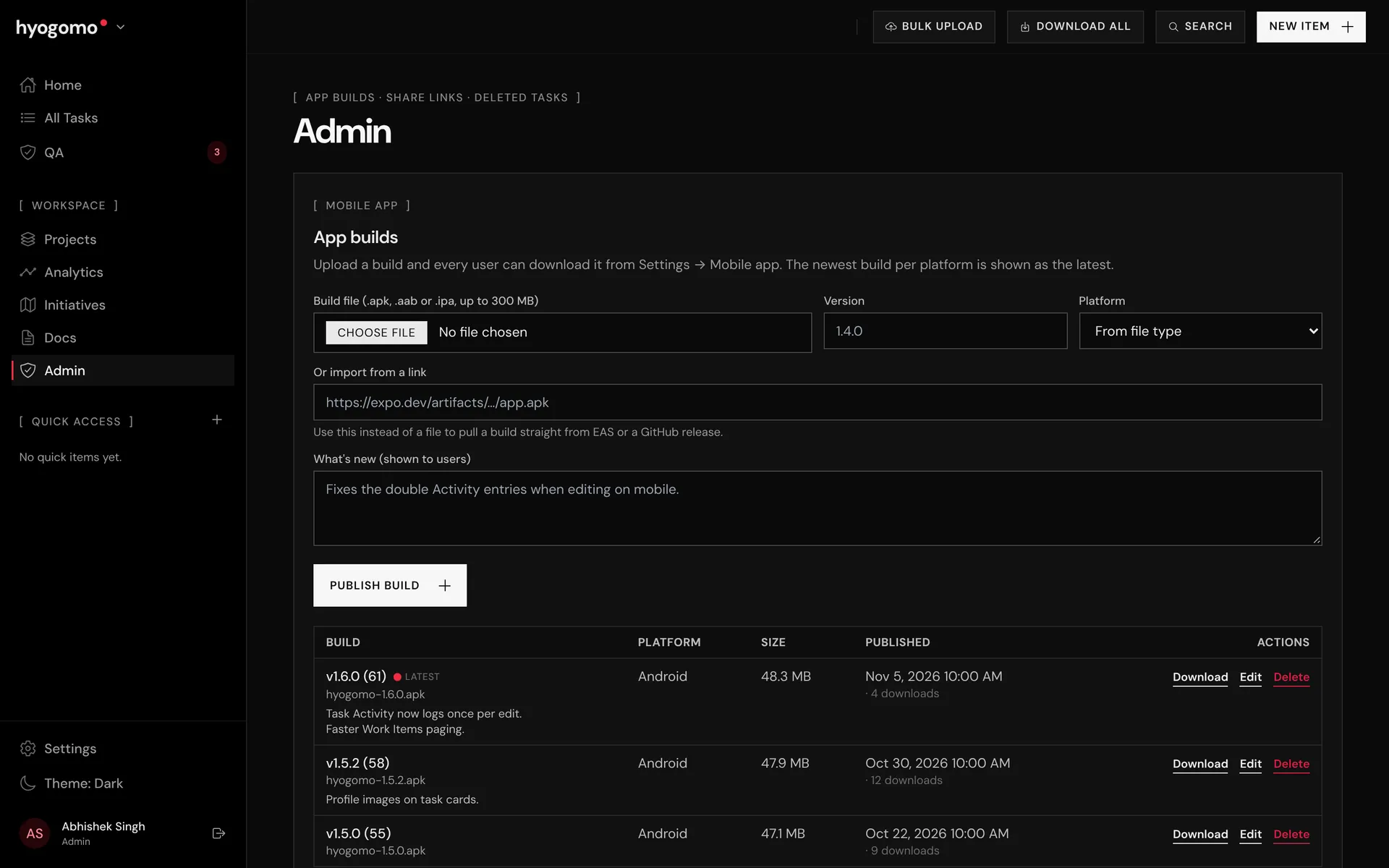
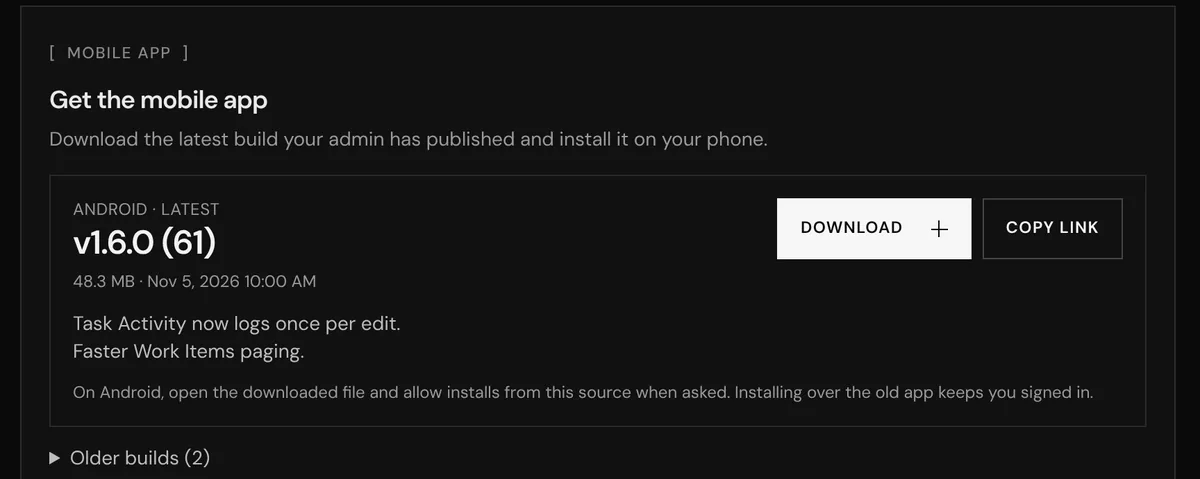
An Android app for updates on the move. Admins publish a new build from the Admin page, by upload or from an EAS link, and everyone sees the latest version with its release notes in Settings.
014. / Reporting
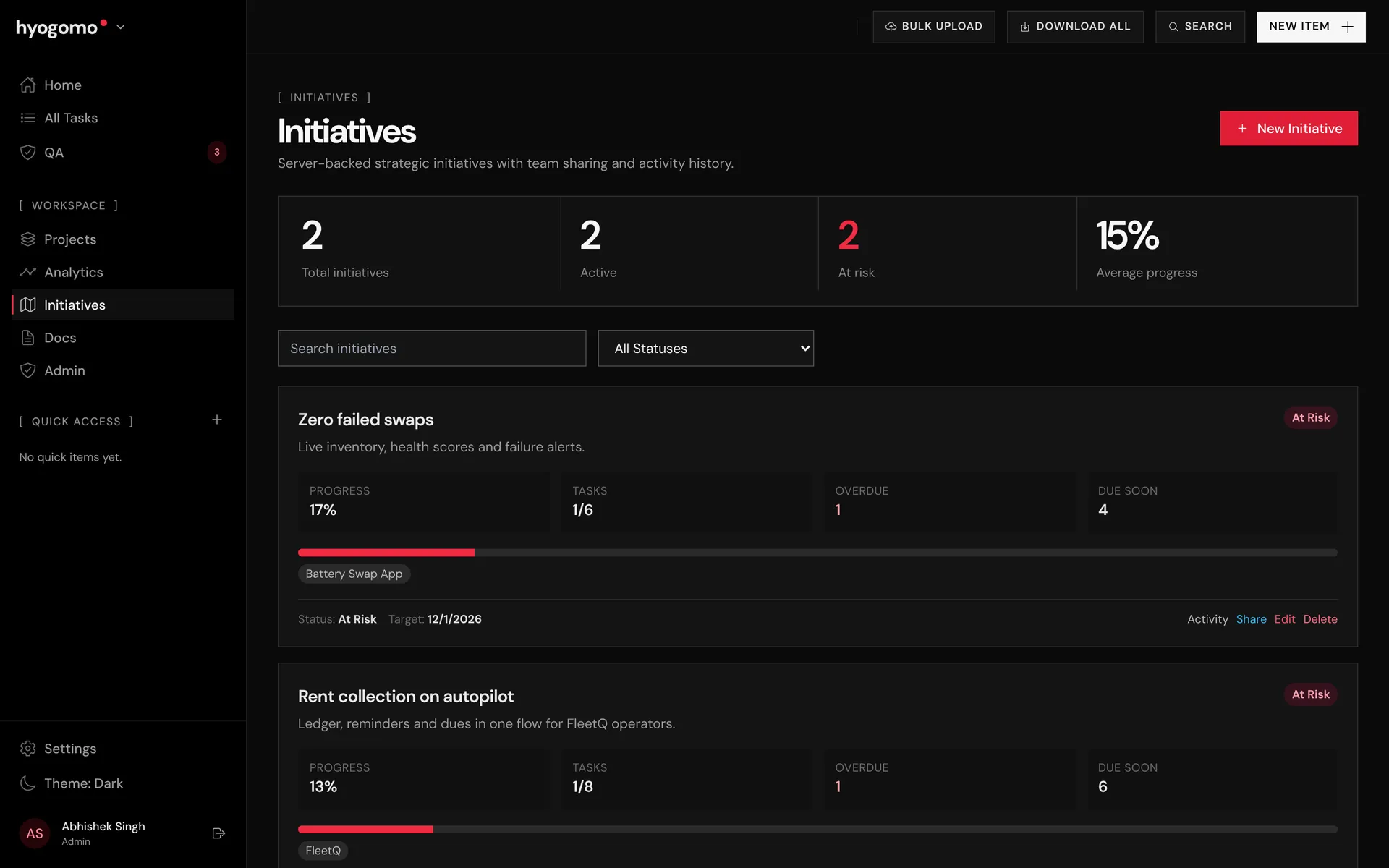
Initiatives group projects under a roadmap theme with an owner, target date and progress. Analytics shows a timeline of every task against its dates, so overdue work stands out.
Every merge to the main branch runs the tests and deploys to my own server through GitHub Actions. Claude pairs on the code, and the same MCP server it uses to build the app lets it manage the work inside it.
QA section: QA tasks, handoff cycles, waterfall Gantt and test cases
MCP server so Claude can manage work with a personal token
Dependencies, mind map, Docs upgrade and light/dark themes
Client portal, profile photos and the hyogomo.com restyle
Server-side activity log, Android build sharing and the rebrand
The app is invite only. Open it if you have an account, or tell me about your team and I will walk you through it.