Product case study · Live at rent.hyogomo.com

Rent Management

A rent and lease tool I designed and built for EV charging and battery-swap operators running many sites across India. Agreements write their own rent schedule, GST and TDS are worked out on every line, and month-end provisions are one click.

Rent, deposits and provisions for every site.

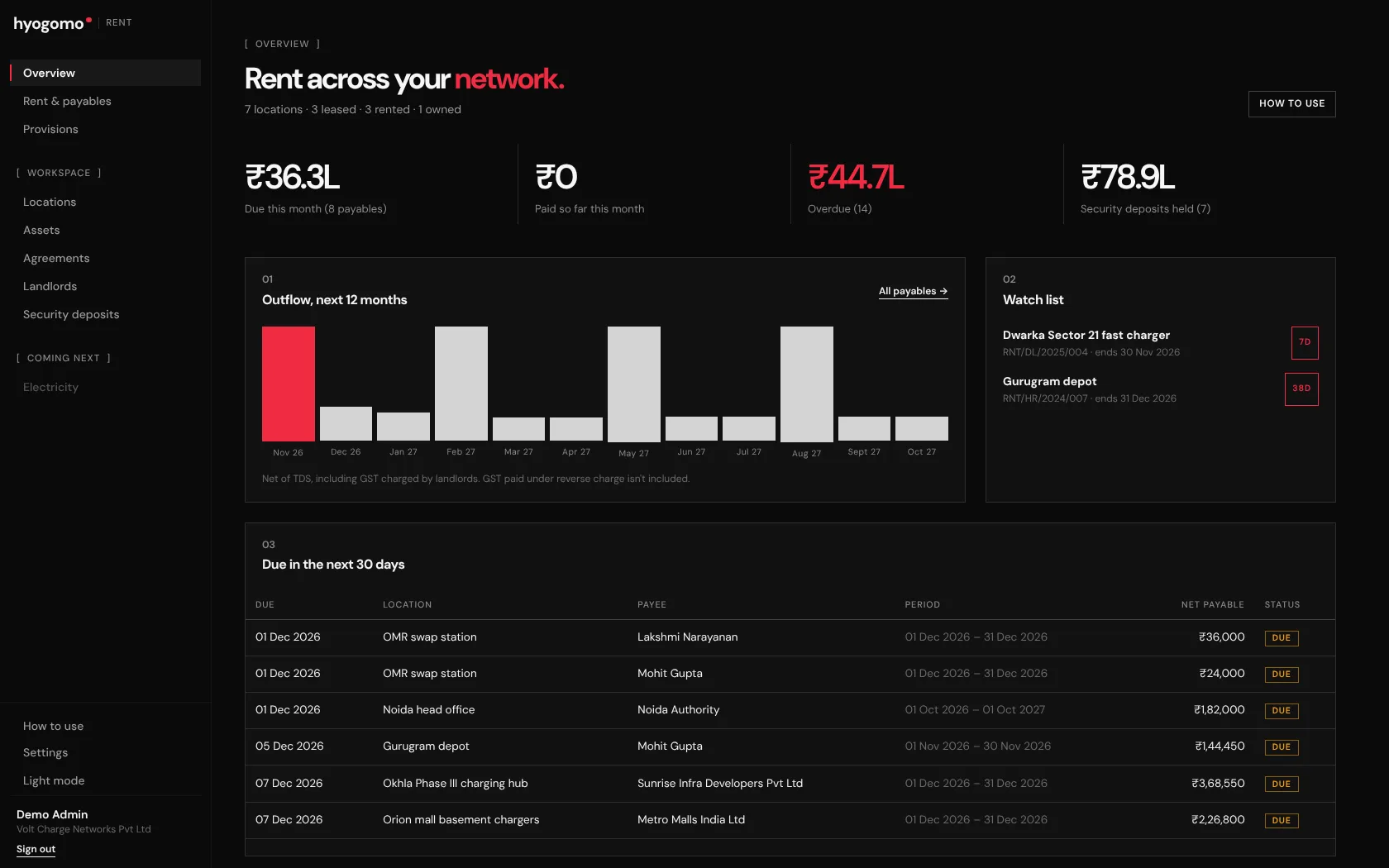
Hyogomo Rent Management Overview in the dark theme, with amounts due, paid, overdue and deposits held, the 12-month outflow chart, watch list and payments due next
  • Rent schedules
  • Escalations
  • GST forward charge
  • Reverse charge
  • TDS 194-I / 194-IB
  • Security deposits
  • Month-end provisions
  • Asset register
  • Custom columns
  • Co-owners
  • Light and dark
  • CSV export
[ OVERVIEW / परिचय ] rent.hyogomo.com →

From a rent spreadsheet to one ledger for every site: leases, landlords, GST, TDS, deposits, provisions and the equipment on site.

Role
Product manager and builder: discovery, domain model, UX, code and rollout
Timeline
Nov 2026 to now, shipped in small releases
Built for
EV networks: charging hubs, swap stations, warehouses, depots and offices
Status
Live at rent.hyogomo.com
3ways to hold a site: leased, rented or owned
4billing cycles, in advance or in arrears
2TDS sections handled: 194-I and 194-IB
1click to run month-end provisions
[ WHY I BUILT IT / कहानी ]
001.

The problem

An EV network grows one site at a time, and each site comes with its own landlord, lease, escalation clause and deposit. Rent ends up in a spreadsheet, escalations get missed, TDS is worked out by hand, and month end means chasing which rent was never invoiced.

002.

The approach

One data model from site to payment. A location holds an agreement, the agreement generates a day-accurate rent schedule, and every line carries its GST, TDS, payments and invoice. Tax and provision rules live in small, tested functions, not in someone's head.

003.

The result

The Overview shows what is due, paid and overdue across the network, and what is about to expire. Accounts get a provisions CSV at month end, and every payable is ready for the next module: electricity bills on the same sites.
[ FEATURES / सुविधाएँ ] 9 AREAS

Everything finance and site ops touch, in one place

001. / Overview

An Overview for the morning check

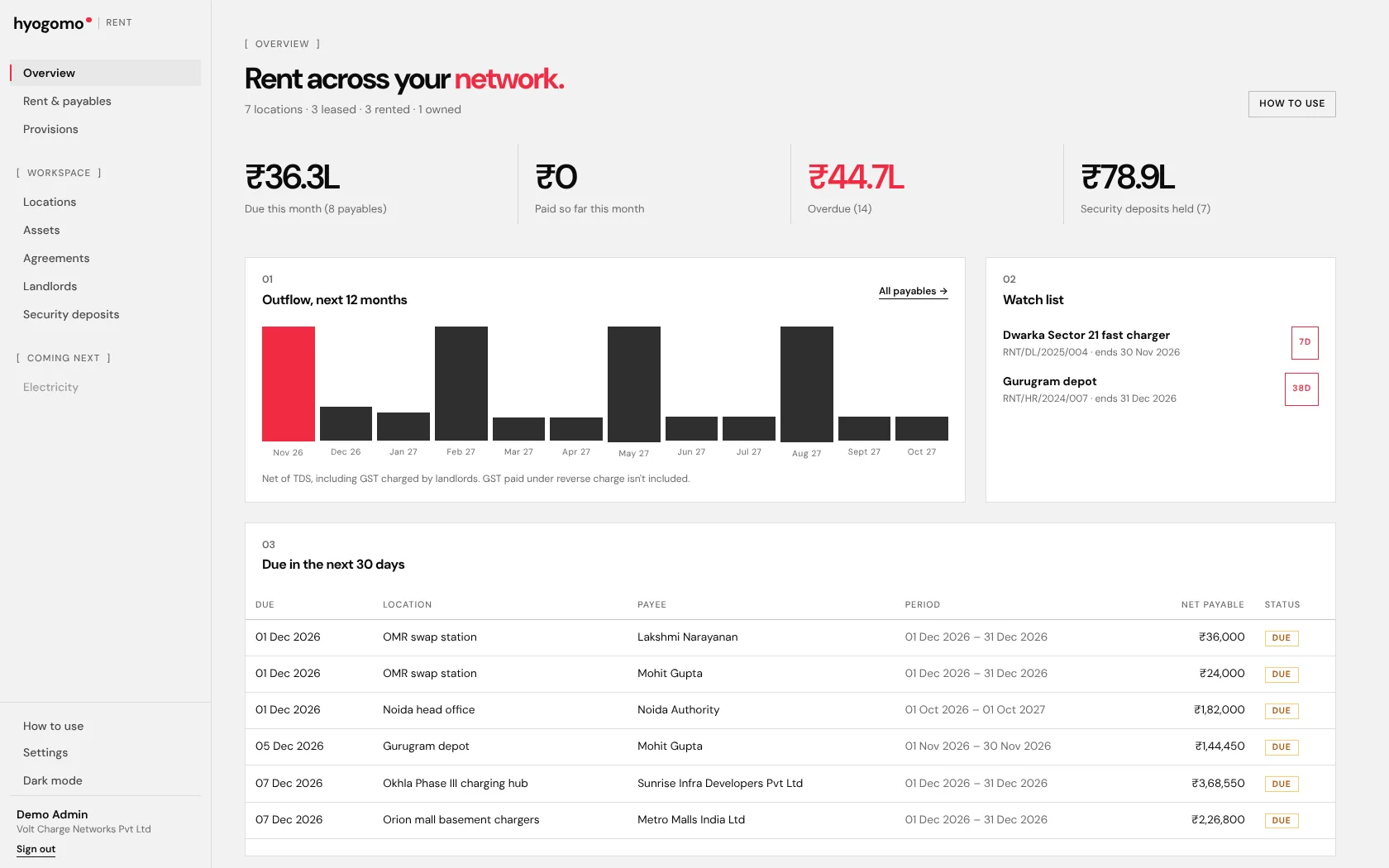
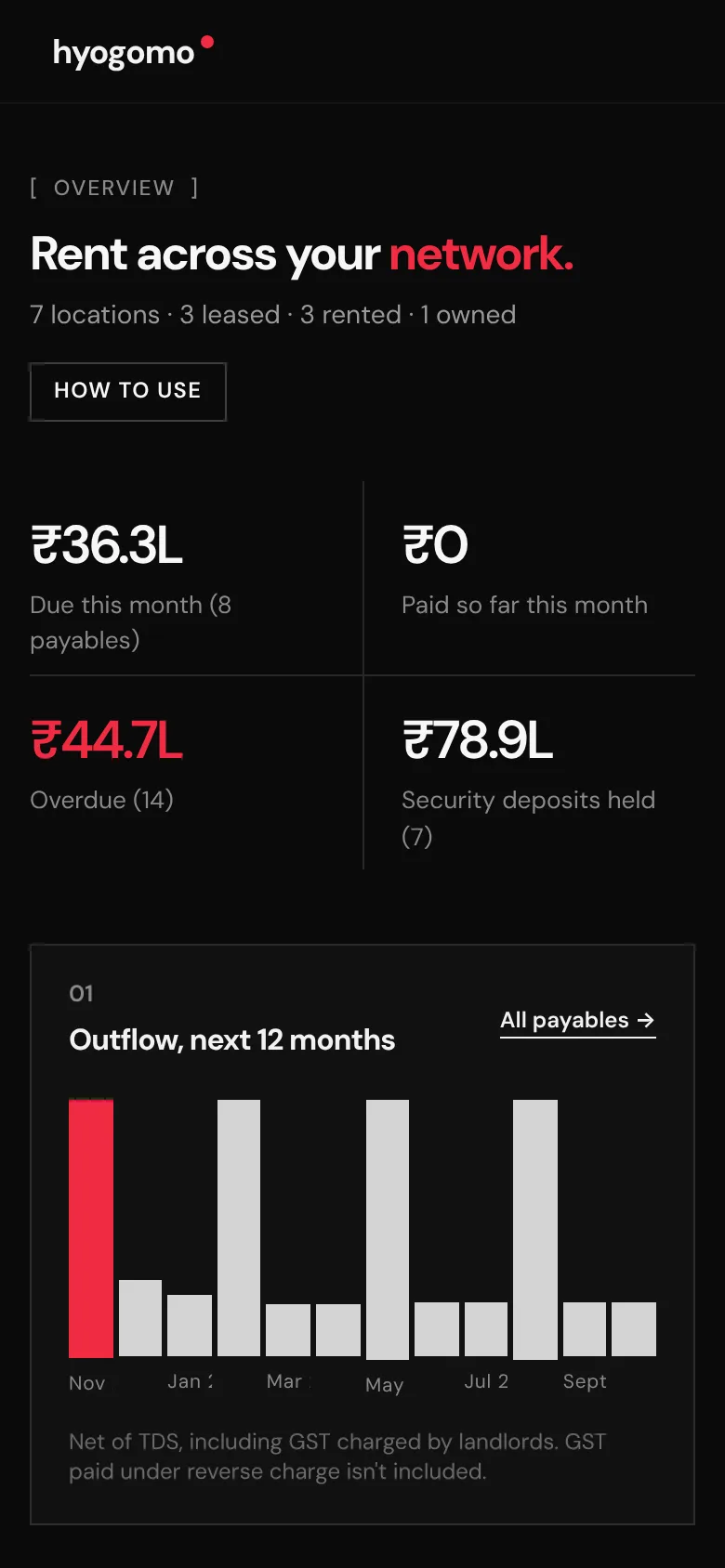
Due this month, paid so far, overdue and deposits held, across every site. A 12-month outflow chart plans cash, and the watch list flags agreements ending and lock-ins expiring in the next 90 days, so renewals and notices go out on time.

  • Overdue turns red the moment anything is late
  • Outflow is net of TDS and includes GST charged
  • Next 30 days of payments in one table

002. / Sites

Every site, by how you hold it

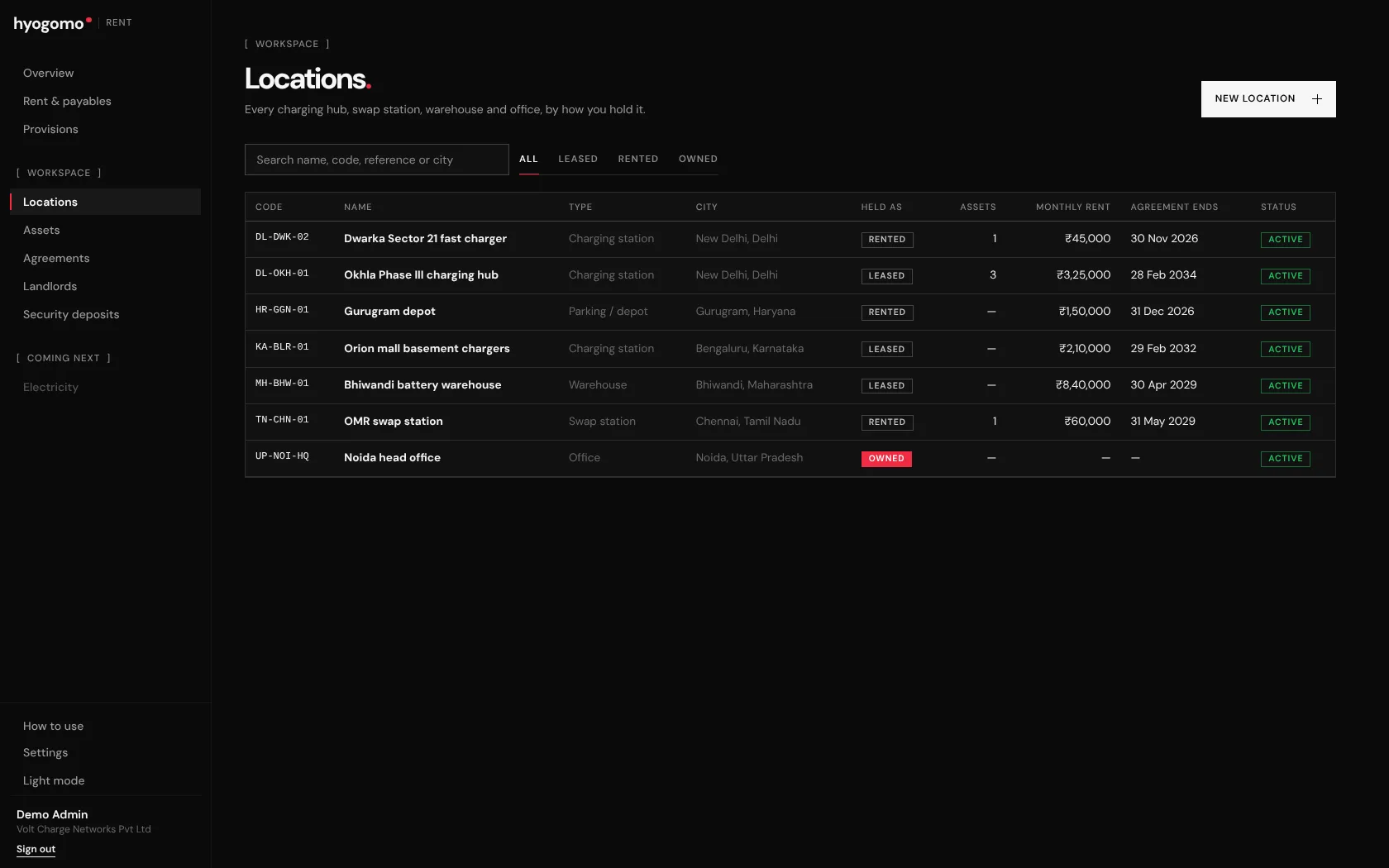
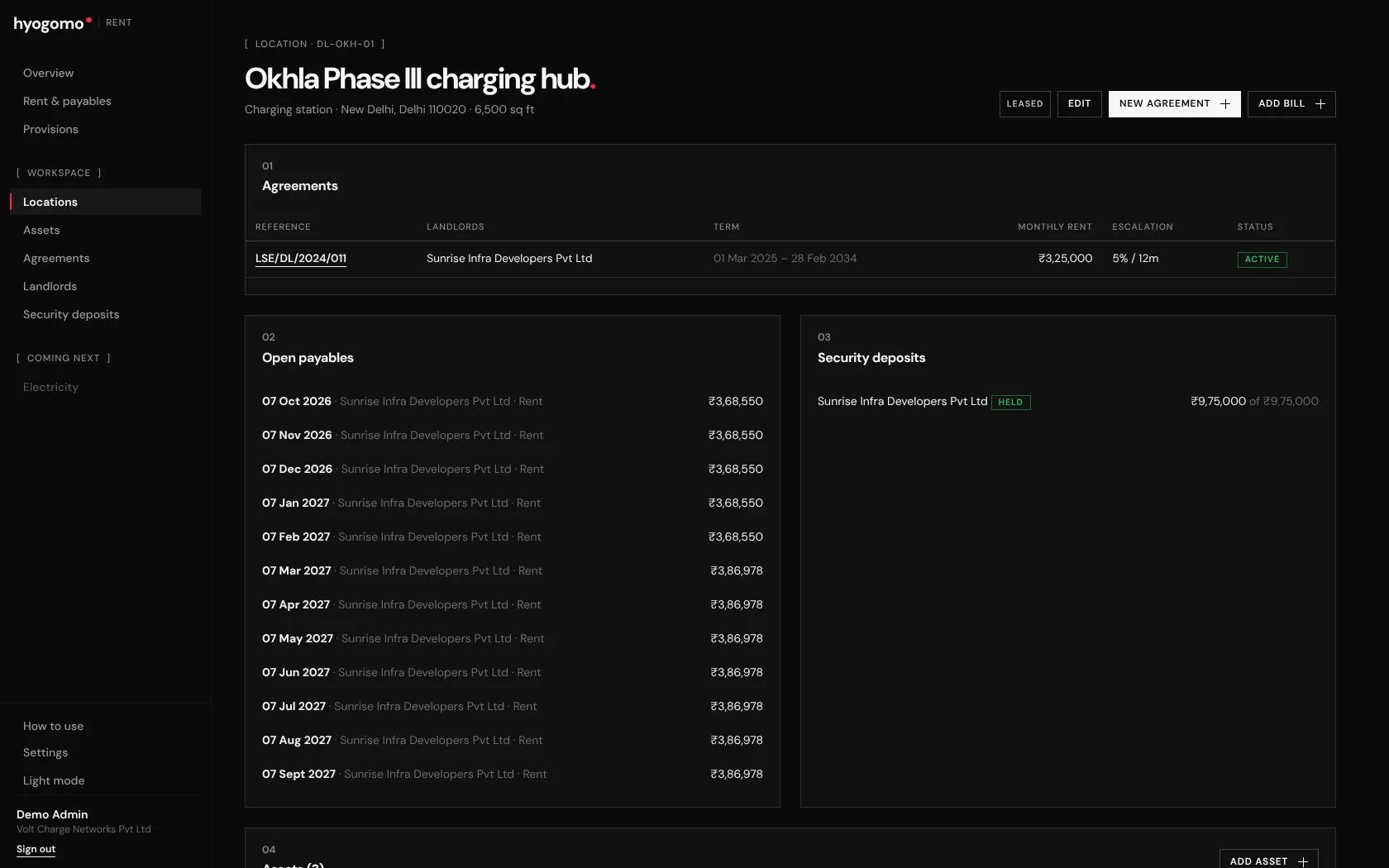
Charging hubs, swap stations, warehouses, depots and offices, each tagged as leased, rented or owned. A site page brings together its agreement, open payables, deposits and the equipment installed there.

  • Site code, PIN code, your own reference ID and lat/long with a Map button
  • DISCOM and sanctioned load stored for electricity billing
  • Leased, rented and owned tabs

003. / Leases

Agreements that write their own schedule

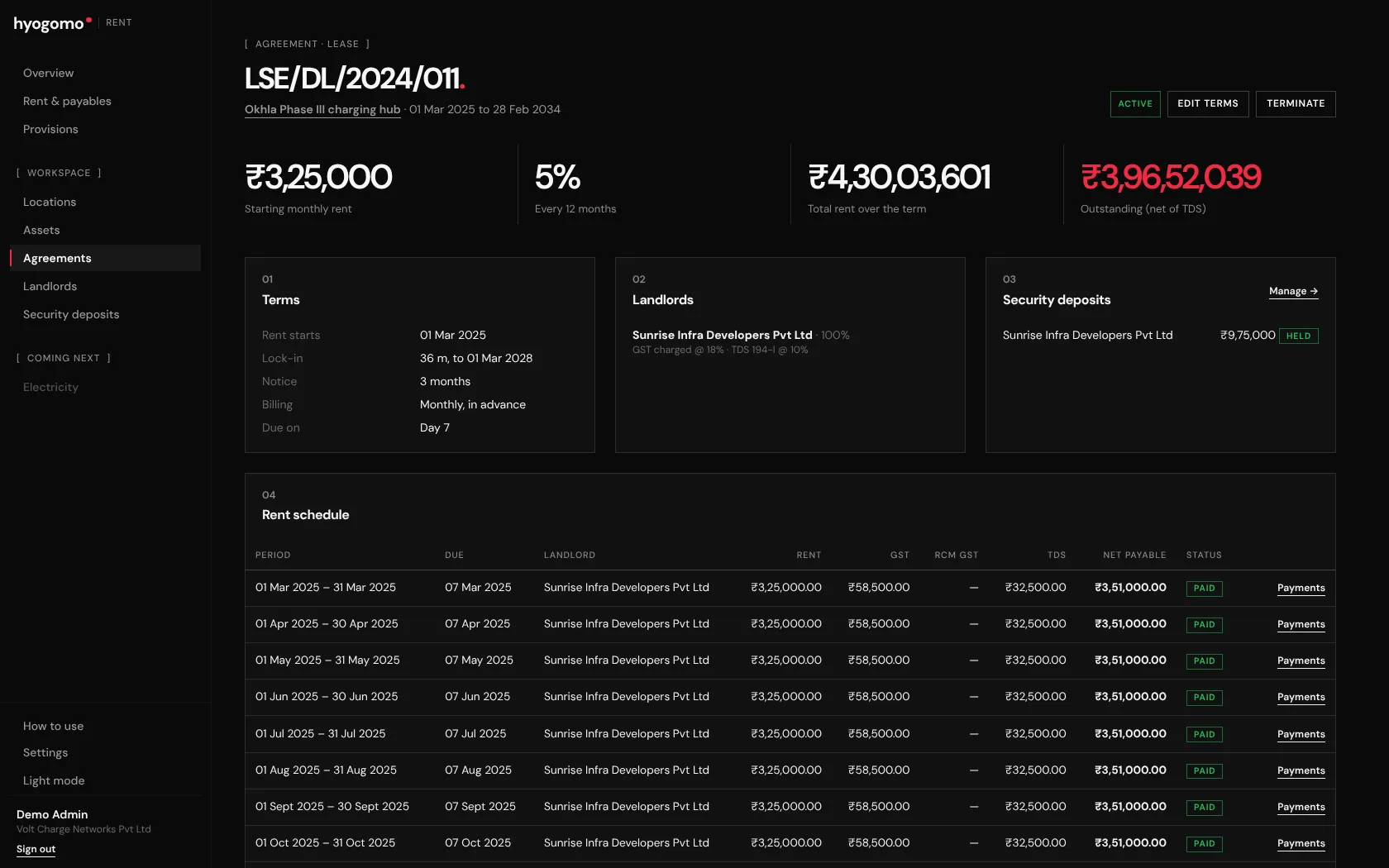
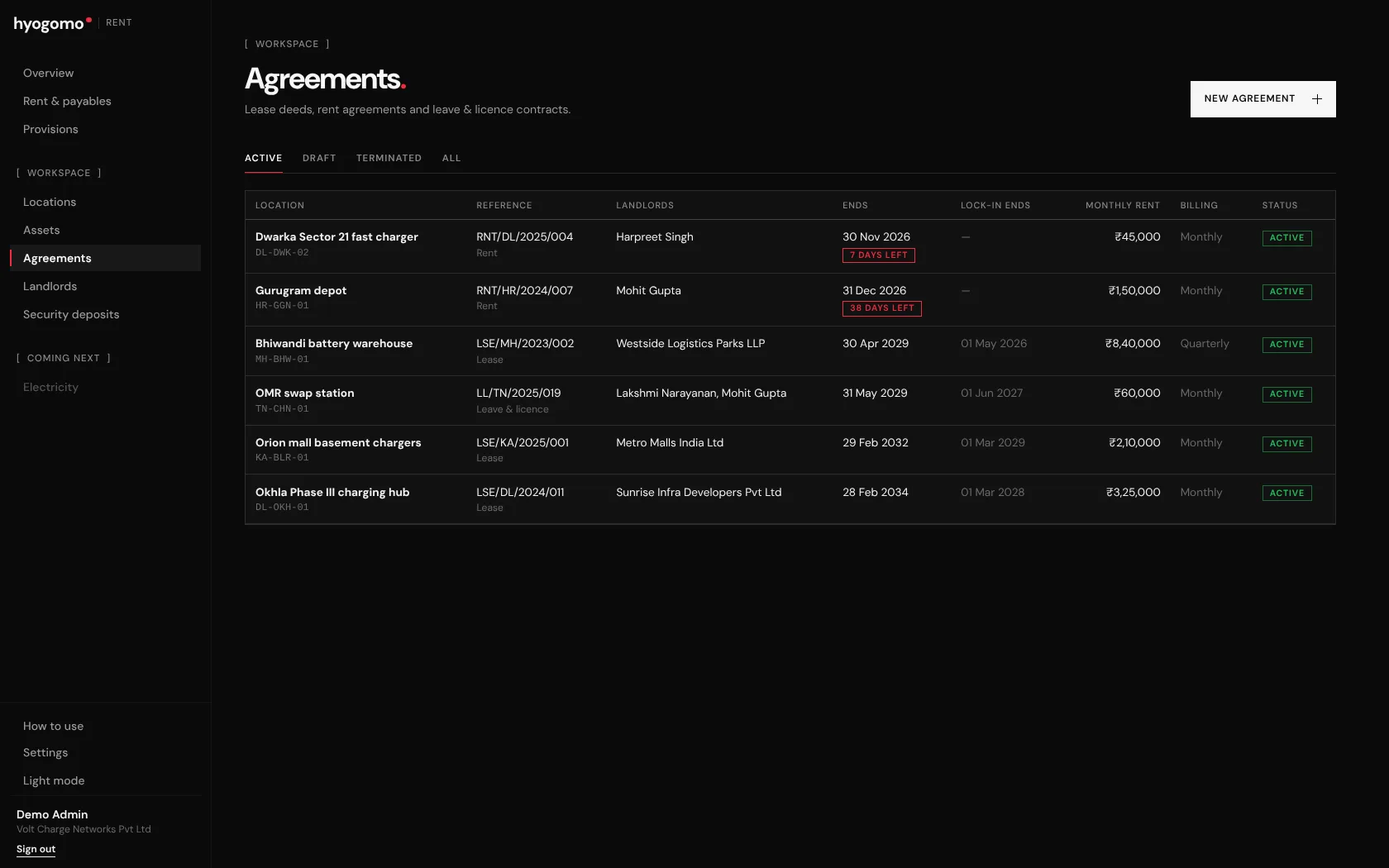
Enter the commercial terms once: rent, escalation (for example 5% every 12 months, compounding), lock-in, notice, rent-free period, billing cycle and co-owners with their share. Activate it and the full rent schedule is generated, prorated to the day.

  • Monthly, quarterly, half-yearly or yearly, in advance or in arrears
  • Edit terms later: only unpaid, uninvoiced lines are recalculated
  • Terminate early and the last month is prorated

004. / Tax

GST and TDS on every line

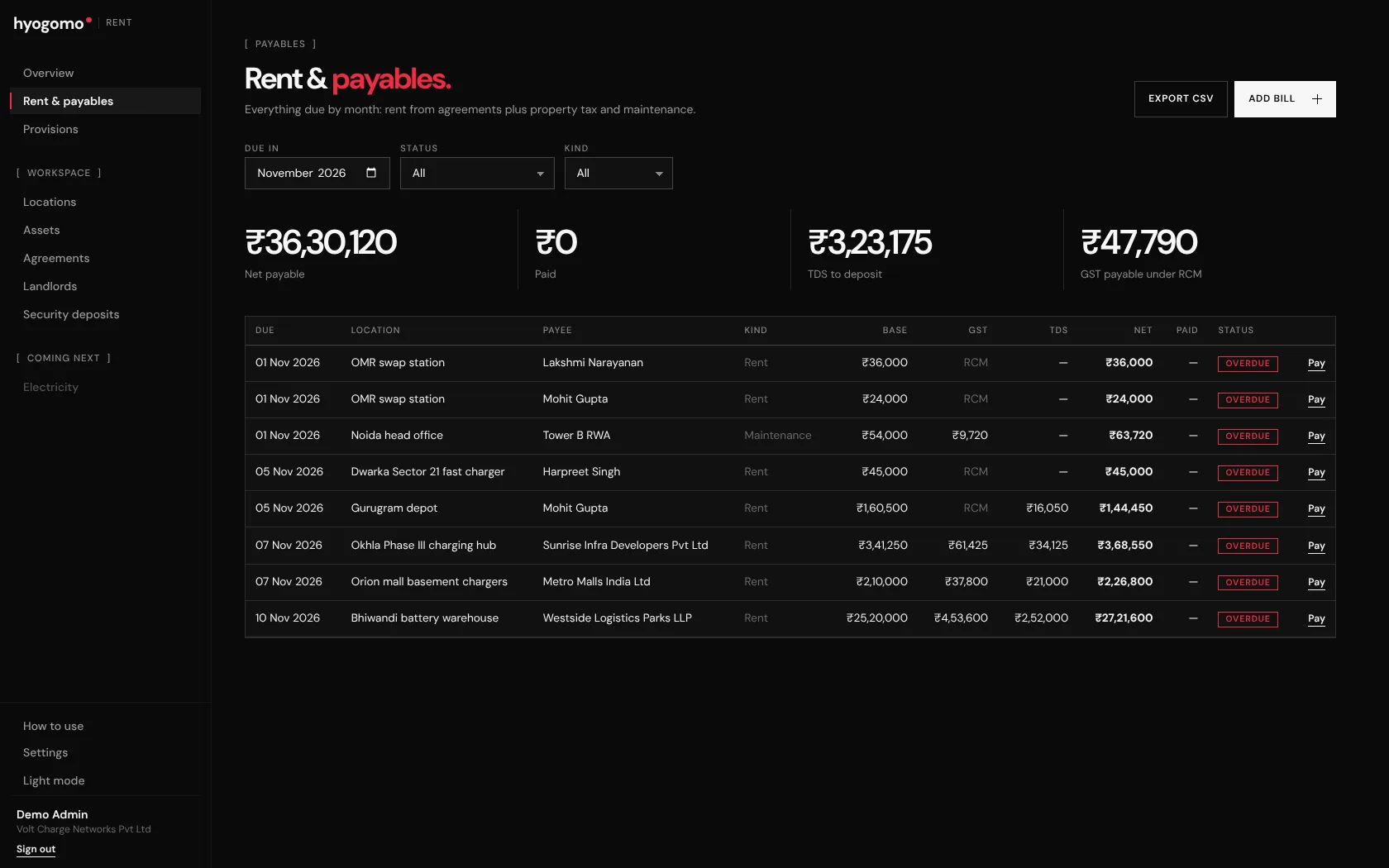
Registered landlords charge GST (forward charge). For unregistered ones, the tool works out the GST you pay under reverse charge. TDS follows 194-I, or 194-IB when the tenant is an individual not under audit, on rent before GST, with the ₹50,000 a month threshold built in.

  • TDS to deposit and RCM GST totals for any filter
  • Override GST or TDS per landlord when the agreement says so
  • Pay, part-pay or book the invoice first, with UTR and mode

005. / Accounts

Month-end provisions in one click

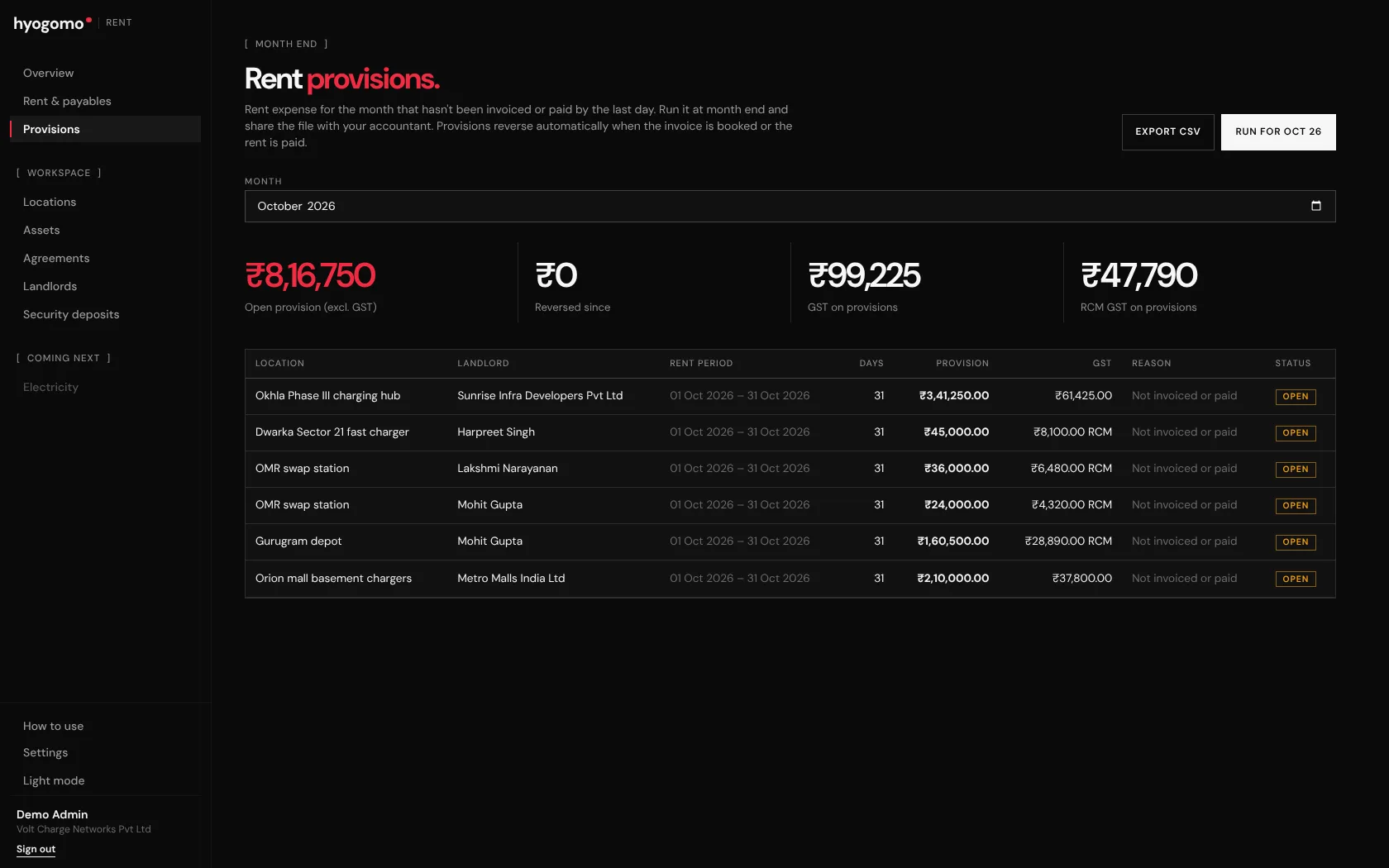
After month end, run provisions: every rent line that belongs to the month but was not invoiced or paid by its last day is provided for, by the days in the month. Send the CSV to your accountant. When the invoice is booked or the rent is paid, the provision reverses by itself.

  • Safe to re-run: open provisions are recalculated
  • Part payments reduce the provision to the unpaid share
  • GST and RCM GST shown separately

006. / Money held

Security deposits and landlords

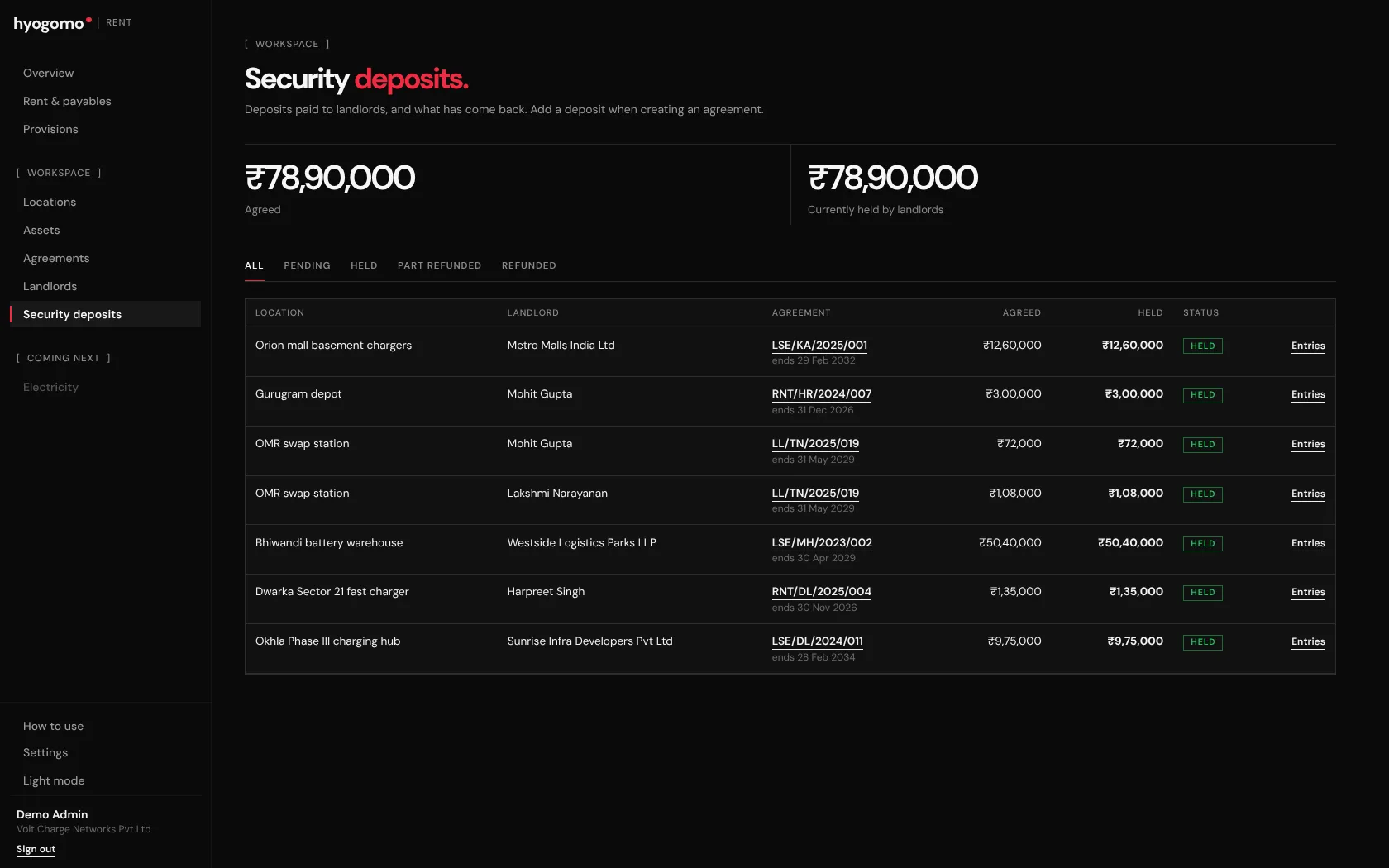
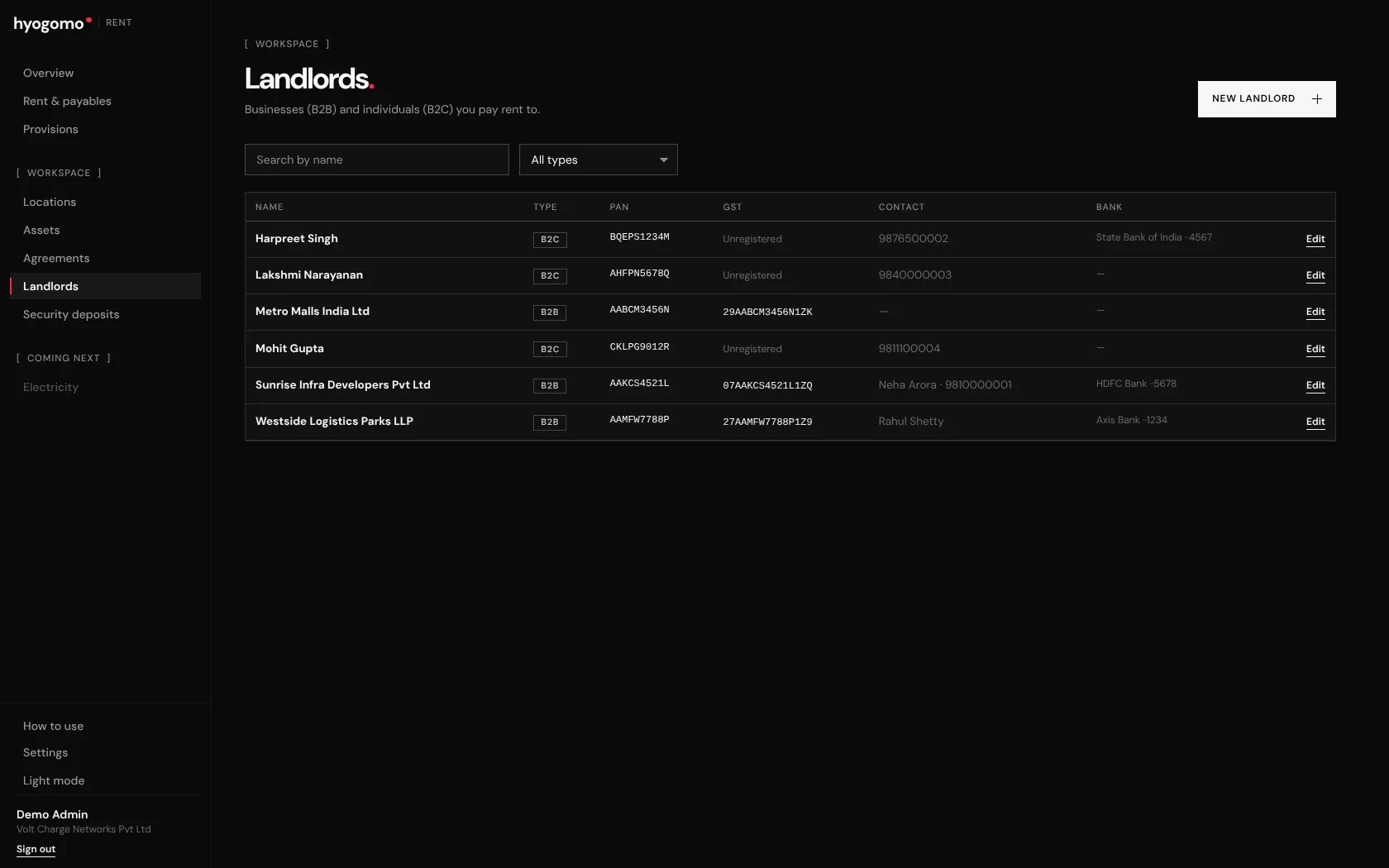
Track every deposit through payment, top-ups, adjustments and refunds, with the balance still held per landlord. Landlords are kept once, B2B or B2C, with PAN, GSTIN and bank details, and reused across agreements.

  • Held, pending and refunded tabs
  • Co-owned property with each owner's share
  • PAN and GSTIN kept with each landlord for TDS and GST

007. / Equipment

Asset register for chargers and swap stations

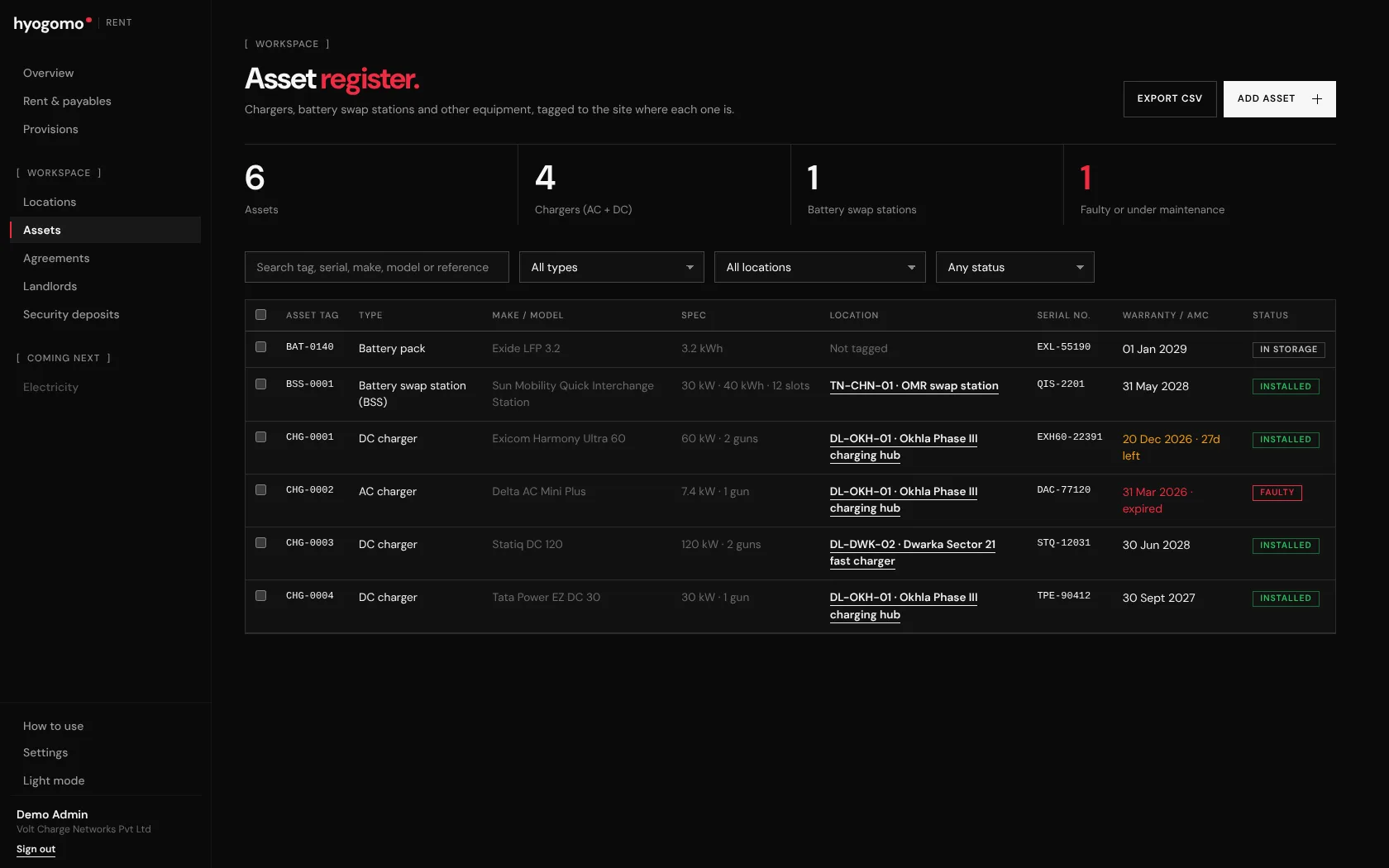
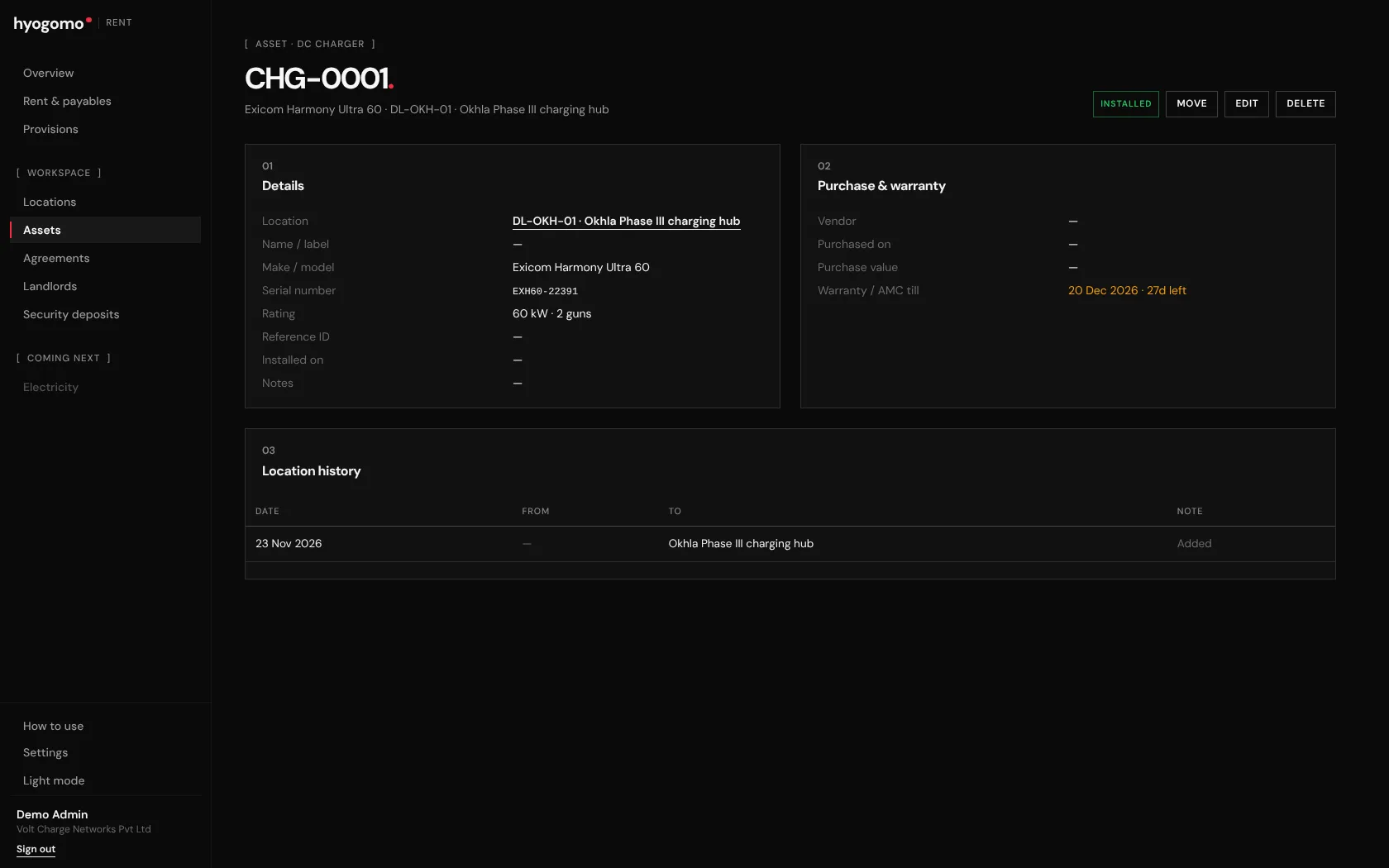
DC and AC chargers, battery swap stations, battery packs, transformers, solar and UPS, each tagged to the site where it sits. Move equipment between sites one at a time or in bulk, and every move is kept in its location history.

  • Warranty and AMC ending within 60 days in amber, expired in red
  • Filter by type, site or status, and find spare stock
  • Export what you see to CSV

008. / Fit

Each company chooses its own columns

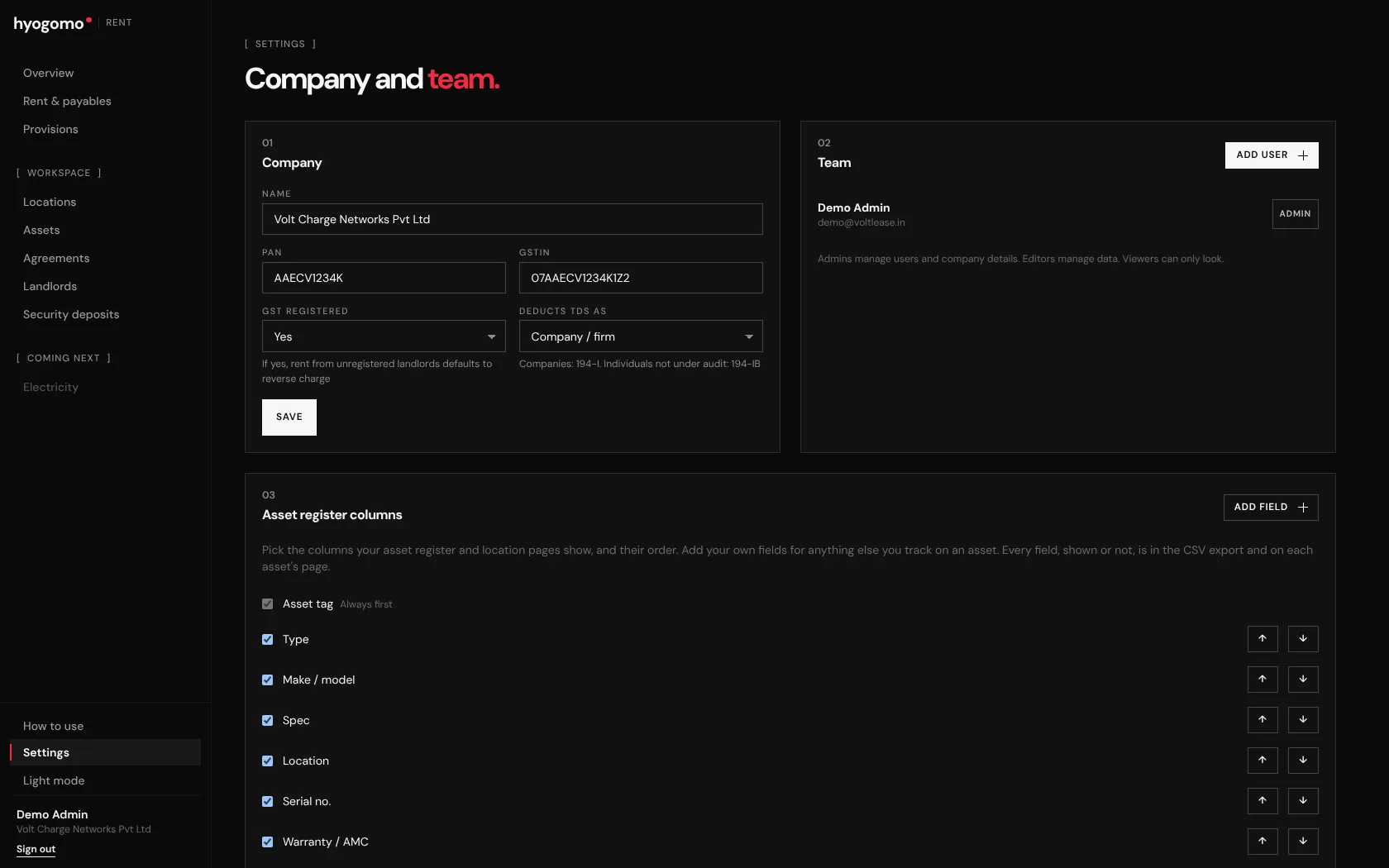
No two operators track equipment the same way. An admin can show, hide and reorder the register's columns and add their own fields (text, number, date or dropdown). The register, site pages, asset form and CSV export all follow the company's setup.

  • Set once in Settings, used everywhere
  • Company PAN, GSTIN and TDS defaults in the same place
  • Admin, editor and viewer roles for the team

009. / SaaS

A private workspace for every company

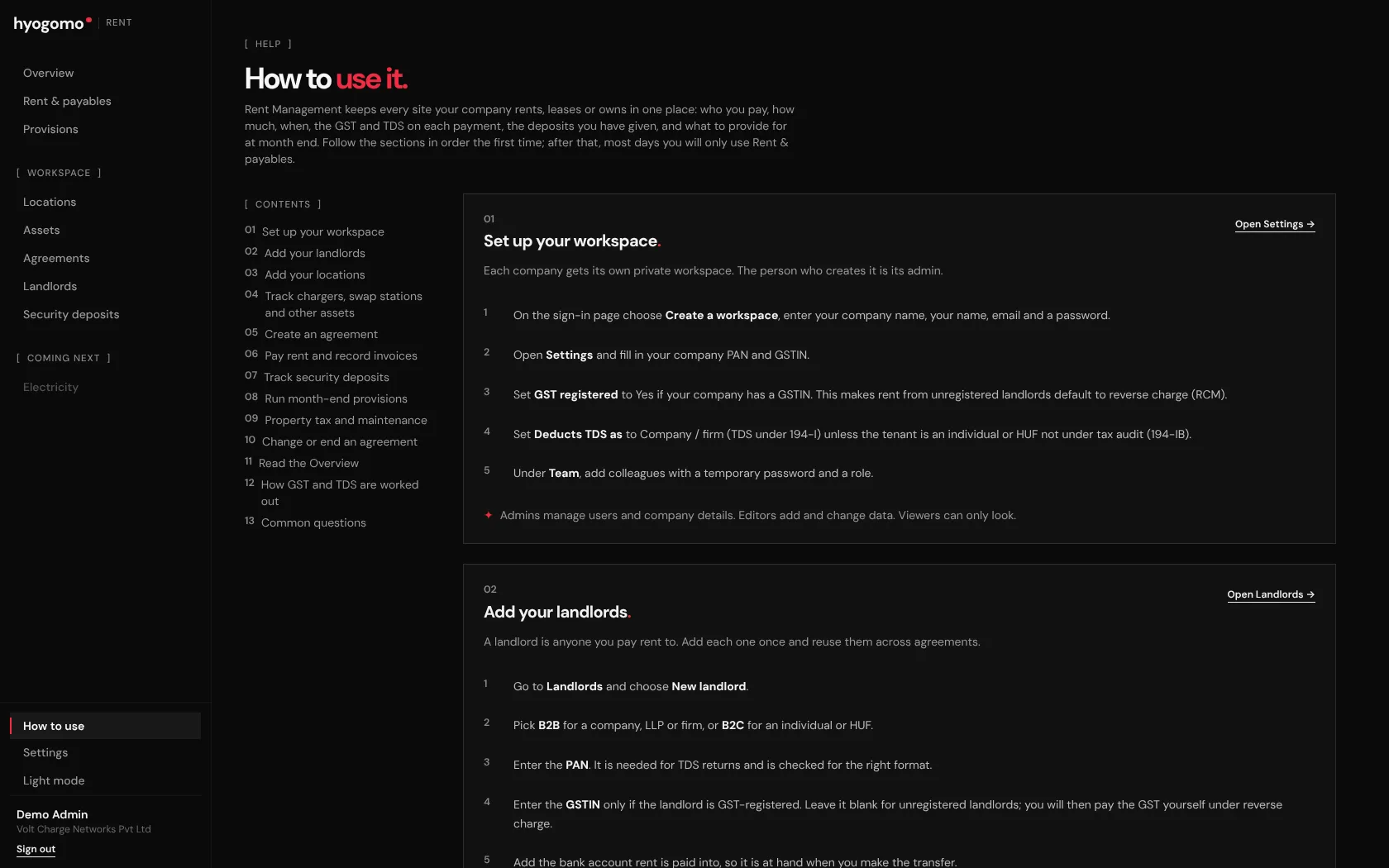
Each operator signs up to its own isolated workspace and invites its team. A how-to guide is built into the app, from setting up the workspace to how GST and TDS are worked out, so a new finance or ops hire can start without a call.

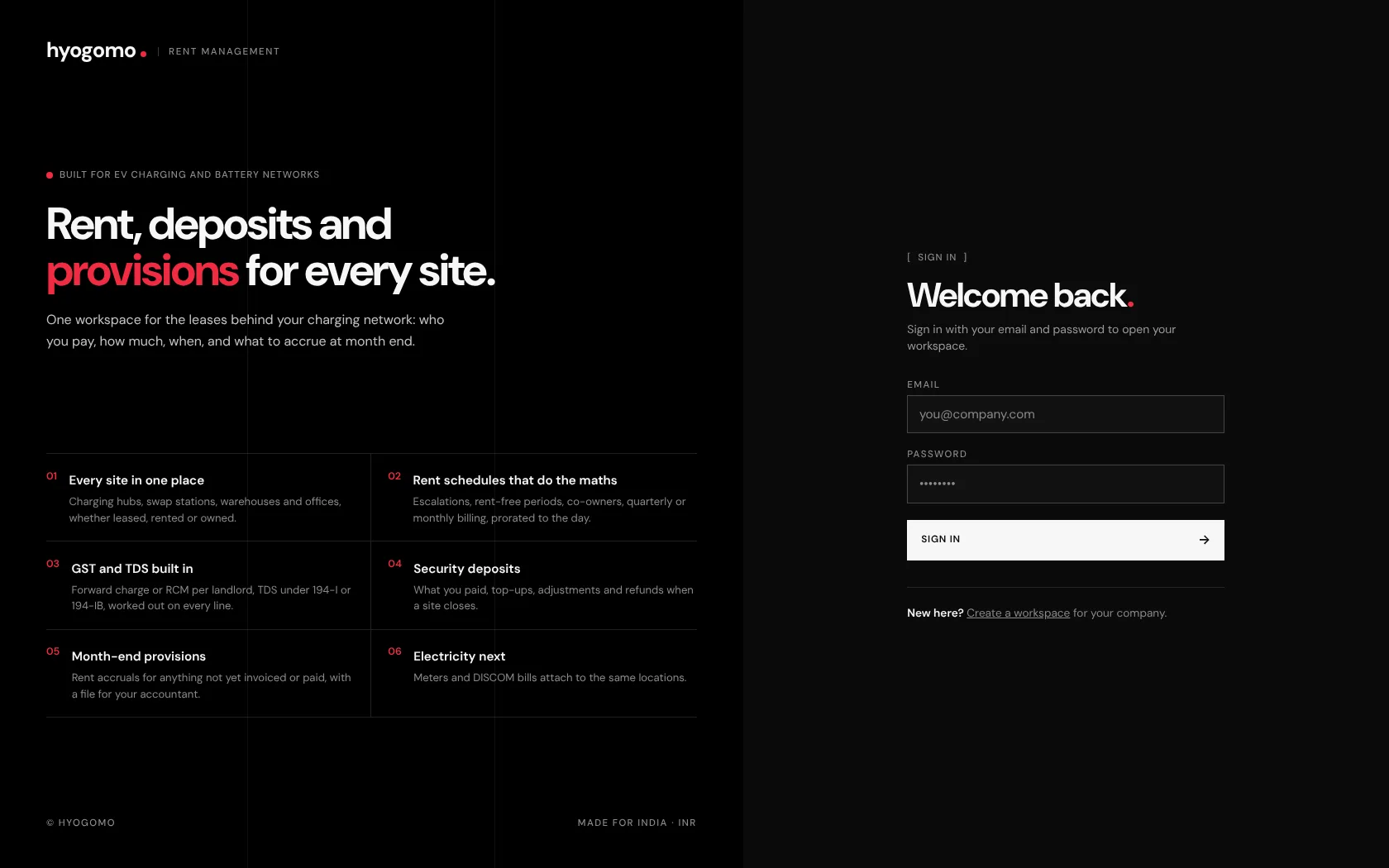
  • Create a workspace from the sign-in page
  • 13-section guide inside the app
  • Light, dark or system theme, and it works on a phone
[ HOW IT IS BUILT / निर्माण ]

Tested rules, small releases

Stack

  • Vite + React + TypeScript
  • Tailwind
  • Node.js + Express 5
  • MongoDB + Mongoose
  • Zod validation
  • JWT auth
  • Unit and API tests
  • GitHub Actions → VPS

The schedule, GST, TDS and provision rules are pure functions with their own unit tests, and API tests run against a real MongoDB. Every merge to main runs CI and, once it is green, deploys to my own server next to the project management app. Claude pairs on the code.

  1. Nov 2026

    MVP: locations, landlords, agreements, rent schedule, GST, TDS, deposits and provisions

  2. Nov 2026

    In-app how-to guide, PIN code, reference ID and map location for sites

  3. Nov 2026

    Asset register for chargers, swap stations and batteries, with move history

  4. Nov 2026

    Live at rent.hyogomo.com, deployed after every green CI run

  5. Nov 2026

    Per-company asset columns and custom fields

  6. Next

    Electricity bills per site, on the same payables, and an MCP server for Claude

[ TRY IT / देखें ]

Put your sites on it

Create a workspace for your company and bring in your sites one agreement at a time. The rent schedule, tax and deposits are ready as soon as an agreement is active.

  1. 01 Create your company workspace at rent.hyogomo.com.
  2. 02 Add your landlords and locations, with the equipment at each site.
  3. 03 Enter each agreement once. Pay rent, track deposits and run provisions from there.
The Overview in the light theme