How to Get a Demo of Hyogomo Project Management
Want to try Hyogomo Project Management before you commit? Here is what the tool does, who it is for, what you get in the demo workspace, and the three steps to get your own private demo login.
How to Get a Demo of Hyogomo Project Management
Hyogomo Project Management started as a personal Jira for my side projects and grew into a full delivery tool for product teams. It is live at todo.hyogomo.com, and the quickest way to judge it is to use it. This post explains what you get in a demo and how to book one in about two minutes.
What the tool does
Most teams keep their work in five places: tasks in a tracker, QA rounds in WhatsApp, test cases in a spreadsheet, specs in docs and client updates in screenshots. Hyogomo Project Management puts that whole delivery loop in one place:
- Projects and tasks in table, board, calendar or mind map views, with delivery KPIs like on-time rate, cycle time and aging work.
- QA tasks and handoffs. Work handed to QA becomes its own QA task, and every round trip between QA and the developer is logged as a handoff, so you can see how many cycles a fix really took.
- Test cases and suites with run sheets for each QA cycle: Pass, Fail, Blocked or Skip.
- Dependencies that flag blocked work everywhere it appears.
- Docs for PRDs, specs and release notes, linked to the tasks they describe.
- A client portal with PIN-protected, read-only links, so clients see progress without a status email.
- An MCP server for Claude, so Claude can create, update and report on work with your permissions.
- An Android app and an installable web app, plus light, dark and system themes.
For the full tour with screenshots, see the Project Management case study.
Who the demo is for
The demo is useful if you are:
- A product manager or founder who wants tasks, QA and docs in one tool instead of three.
- A delivery or QA lead who needs to see where work waits between QA and development.
- An agency or team that shares progress with clients and is tired of screenshots.
- An individual running side projects who wants a lightweight, Jira-style setup.
You can request a demo as an individual, for a team or for a company.
What you get in the demo
You get your own private copy of the app, already filled with a sample team's projects, tasks, QA cycles, test cases, docs and a client portal. Nothing is a video or a guided slideshow. You click around, change anything, and see how it behaves with realistic work in it.
How to book your demo in 3 steps
- Fill in the short form. Go to the demo request form and tell me your name, who the demo is for (individual, team or company), your email, phone number, team size and the tool you use today. Company name is optional for individuals.
- Confirm your email. I email you a 6-digit code. Enter it on the next screen. The code works once and for 10 minutes, and you can ask for a new one if it expires.
- Open your demo link. Your private demo link arrives by email right after you verify. An unopened link works for 7 days, and the workspace stays yours for 48 hours once you open it.
That's it. No sales call is needed to get started.
Things to try in the first 15 minutes
If you are not sure where to start, try these:
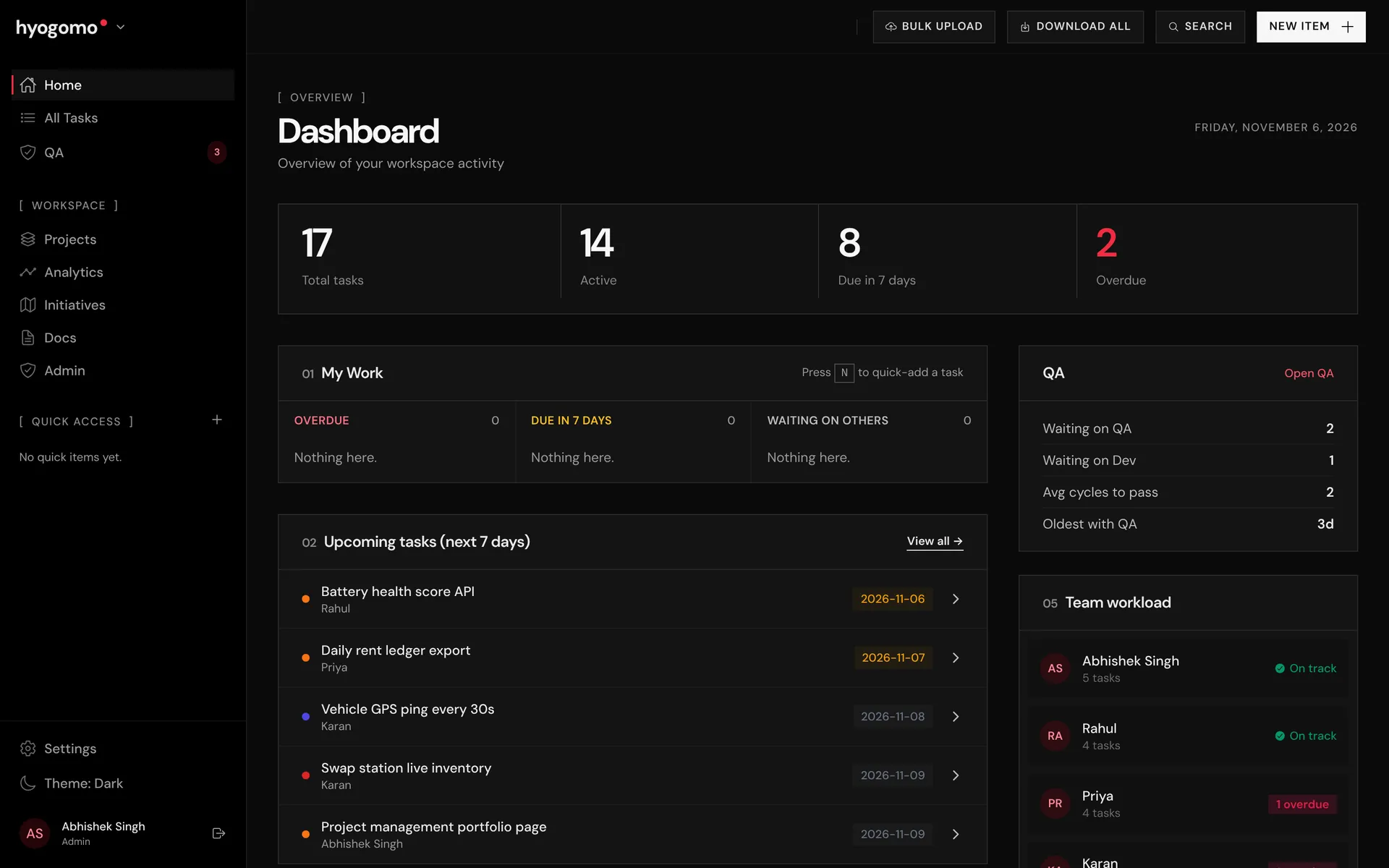
- Open the dashboard to see task counts, QA summary and team workload.
- Open a QA task, fail it back to the developer with a reason, and watch the cycle count go up.
- Look at the waterfall timeline to see where work waited between QA and development.
- Run a test suite against a QA task and record a few results.
- Open the client portal to see what a client would see through a PIN link.
- Switch between light and dark themes in Settings.
Prefer a guided walkthrough?
If you would rather see it with me on a call, or want to talk about using it with your team, ask for a walkthrough and tell me a bit about how your team works today. If you already have an account, you can open the app directly.
Your data
The form details are used to send your verification code and demo link, and to follow up about the demo. Only your name, email and company are shared with the app to set up your workspace. The full details are in the privacy note.
Ready to try it? Request your demo login.

Product manager for EV, battery-swapping and fleet platforms. More about me.